By the tiswa editorial team, from the official sources listed at the end of this guide. How we write our guides
Four students, one report, two nights. One sends the file to the group, another edits a copy, a third saves a different copy, and by morning you have four versions called “final report.” That is the problem Word online solves: one file in one place that everyone writes in at the same time. But it is not desktop Word, and you should know its limits before you build your work on it.
Is Word online enough for a university report?
Mostly yes, provided you know what is in it. Microsoft publishes a comparison of Word for the web and desktop Word. It lists tracked changes, version history, real-time co-authoring, a table of contents built from headings, footnotes and endnotes, bookmarks, autosave and PDF export as working on the web.1 That covers most reports.
| Tool | Word for the web | Desktop Word only |
|---|---|---|
| Co-authoring | Available1 | Also available |
| Tracked changes and version history | Available1 | Also available |
| Contents page from headings | Available1 | Also available |
| References, citations, bibliography | Not available per the comparison table1 | Yes |
| Compare and merge two versions | Not available per the comparison table1 | Yes |
| Working offline | Not available1 | Yes |
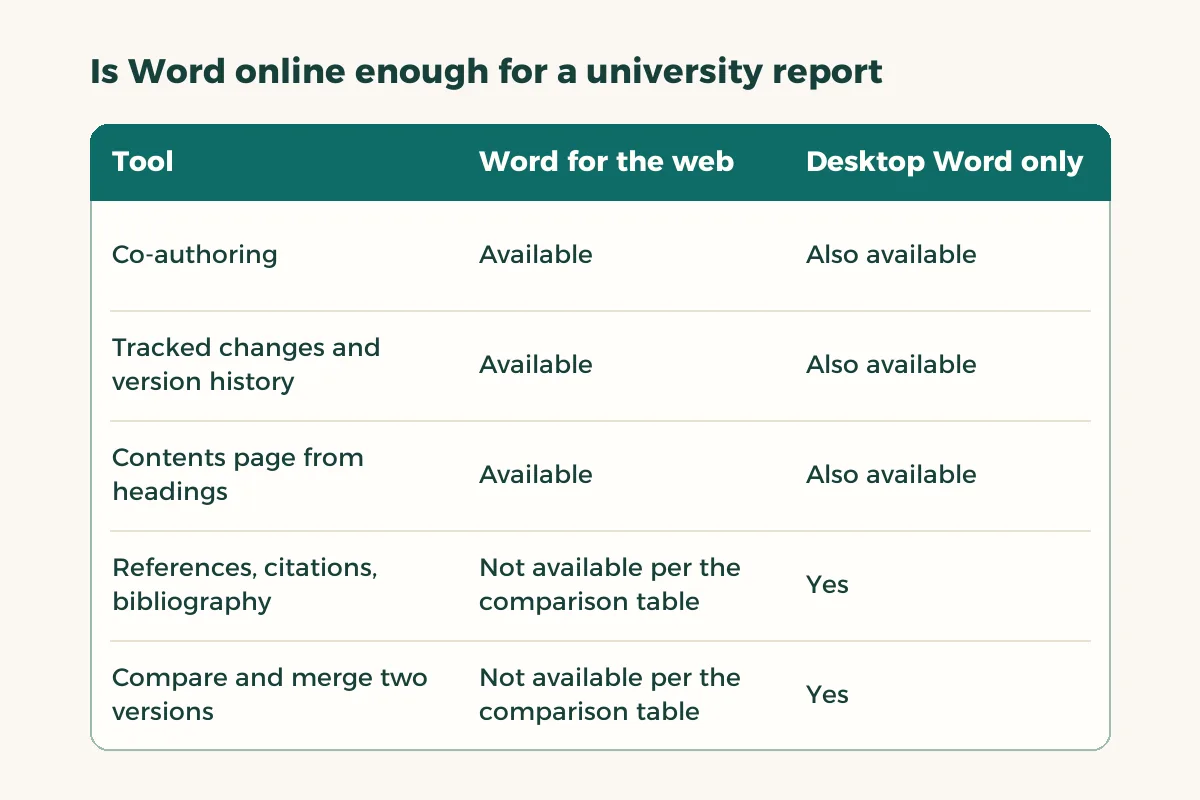
We took this table from the comparison page as it stands when we wrote this; features change, so check the page itself before you depend on one. For which version of Word your university account gives you, start with the Word guide for students and ask your university’s IT office which account you should use.
How do you write a group report in Word online?
- Create the file in a shared place
One person opens the file in the browser and saves it in storage the team shares. Permissions are set where the file is stored, not inside the document.2
- Share the link
Send it to the rest of the team with edit rights, not view-only.
- Split the sections
Each person takes a section under its own heading. There is no special co-authoring mode; you edit as normal and see who else is working.2
- Write with heading styles
Use heading styles from the start so the contents page can be built from them later.1
- Agree on tracked changes
Turn them on during review and read comments in Word for the rules on replies.
- Leave references to the end
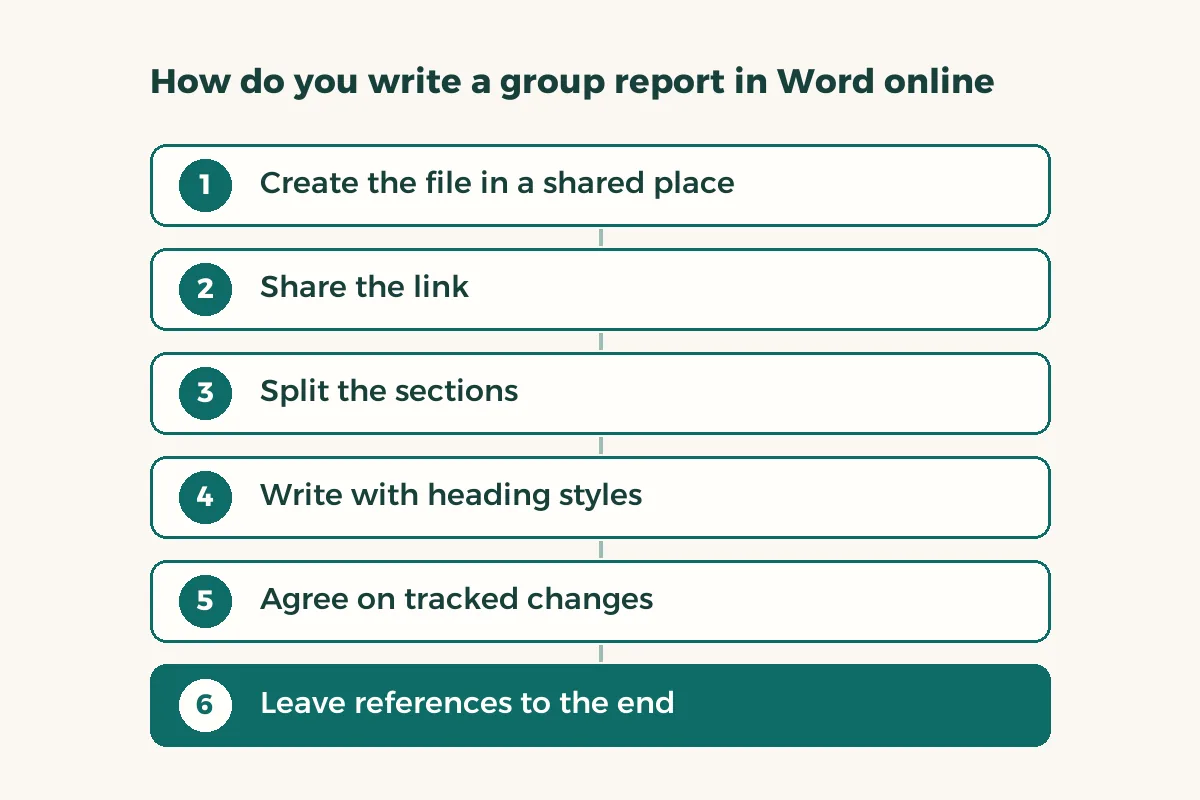
One person handles them in desktop Word. See Word references.
How do you see who is editing and who changed what?
Microsoft says Word for the web alerts you when others are editing and shows you the paragraph they are working on, with a brief notice when authors join or leave.2 To see what changed between saves, use version history, which we explain in autosave and version history. For a long paper, writing a group paper in one file adds a freeze rule before submission.
When should you open the file in desktop Word?
When you need something the browser lacks. Microsoft explains that some features, such as an automatically updating table of contents or bibliography, require opening the file in the desktop app with “Open in Word.”2 The rule: open it once, for one defined job, then close it and go back to the browser. The page also says that if a saved file contains features the web version does not support, co-authoring can continue in the desktop app when everyone has a compatible version; otherwise remove the unsupported feature in the app and return.2
One warning: avoid editing restrictions or marking the file as final in the desktop app, because Microsoft notes this can block co-authoring in Word for the web.2 Leave restrictions for the very end, once the team has finished.
What if Word online fails the night before the deadline?
Things break at the worst moment, so keep a fallback before the last night. First, download a copy at every finished stage, which leaves you a version that works offline. Second, agree on one name for the final file and on who submits it. Third, if you have a Word file and only need a PDF, Adobe’s free converter accepts DOC, DOCX, RTF and TXT and needs no sign-in to convert.4
Test the plan once before the final week: open the file from your phone and from a second computer, and check that everyone can get in with the account you agreed on. Finding a permissions problem a week early costs ten minutes of the team’s time; finding it an hour early costs the grade.
How do you save a Word online file as a PDF?
Microsoft’s route is File, then Print, then “Save as PDF” in the printer list, then Save.3 The result is a basic PDF that preserves layout and format,3 without heading bookmarks. For every export option, read Word to PDF.
If someone in the team prefers spreadsheets or slides in the browser, each tool has its own guide: Excel online for tables and PowerPoint online for the presentation.