By the tiswa editorial team, from the official sources listed at the end of this guide. How we write our guides
Thursday evening, submission on Sunday morning. Reem has a file called "Report_FINAL_3". Noura has "Report_FINAL_3_after_Noura_edits". Khalid sent a third one on WhatsApp that nobody can trace. Each of them says hers is the latest. When the parts are finally pasted together, one section speaks in the first person and another in the third, and a table that is number 4 in the text is number 7 in the list.
Why does a group paper drift apart even when everyone works hard?
Rarely because of the writing itself. Five things slip away quietly: the number of copies, the voice, the vocabulary, the numbers and the citation style. Everyone follows what they know, so one person writes "users", another "customers", a third "beneficiaries", all meaning the same group. A fourth formats references in APA and a fifth copies them from a website in whatever form they came.
Splitting the writing is therefore not enough. You need one place where the text lives, one person who looks at all of it, and short rules written before the drafting begins, not after. The sections below set these up in that order.
| What drifts | How it shows | Quick check |
|---|---|---|
| Copies | Three files, all "the latest" | One file in the group folder; everything else deleted or moved to an old folder |
| Voice | One paragraph says "we", another "the researcher" | The editor reads the whole text aloud once |
| Vocabulary | Customers, users and beneficiaries for one group | A ten-term glossary at the top of the file |
| Numbers | Table 4 in the text, table 7 in the list | One person checks table and figure numbering at the end |
| Citations | APA in one section, free style in another | One reference manager for the group, or one person merging references |

How do you set up one master file for a group paper?
- Start with a single file in a shared space
Create the document in Google Docs, or in Word on OneDrive, and share it with edit permission. Put the group and course name in the title, and never add the word "final".
- Pick one responsible editor
Not necessarily the best writer. Choose the most careful and calmest person, who decides on merges and reads the whole text. The editor can change between phases, but never two at once.
- Put the section plan in a table at the top
List each section, its owner, the draft deadline and the review deadline. That table removes half the WhatsApp arguments.
- Write a one-page style sheet
Decide on the pronoun, the citation style, how numbers are written and one word for each recurring concept. Thirty minutes at the first meeting is enough.
- Set the edit rule
Everyone writes directly in their own section. Any change to someone else’s section is a suggestion, which its owner accepts or rejects.12

None of this needs an extra tool. If you want minutes for that first meeting, see meeting minutes in Teams, and if you actually study as a group, group study covers how to run the sessions.
Suggesting mode or Track Changes: which should your group use?
The idea is the same in both: you propose a change without erasing a teammate’s text. In Google Docs you switch from Editing to Suggesting at the top right, your edit appears in a new colour with deletions crossed out, and the owner accepts or rejects them one at a time or all at once from the Tools menu.1 In Word you turn on Track Changes from the Review tab, each author gets a colour, and you can filter the view by reviewer.2
Use whichever tool the group already works in, and do not move the file between the two halfway. Converting between Google and Word sometimes breaks heading numbers and tables, and that costs a formatting night you do not need. If your group is in Word and wants structured feedback, read Word comments for team review.
How do you keep one voice when four people write?
Do not try to make everyone write alike. That fails. Fix the small decisions a reader notices. Here is a sample style sheet, shown as an example and not as a university rule: the pronoun is "we" throughout, past tense for what you did, present tense for general facts, numbers from zero to nine spelled out and larger ones in digits, and the first term chosen, "users", is never swapped.
Once the draft is complete, the editor reads the whole text aloud. Reading aloud exposes jumps in voice faster than silent reading, because the ear trips where one writer hands over to the next. Do not ask an AI tool to rewrite sections to even out the style; your university’s policy decides what is allowed, and a full rewrite may count against you. For citations, try Zotero or review APA.
How do you use Google Docs version history to see who changed what?
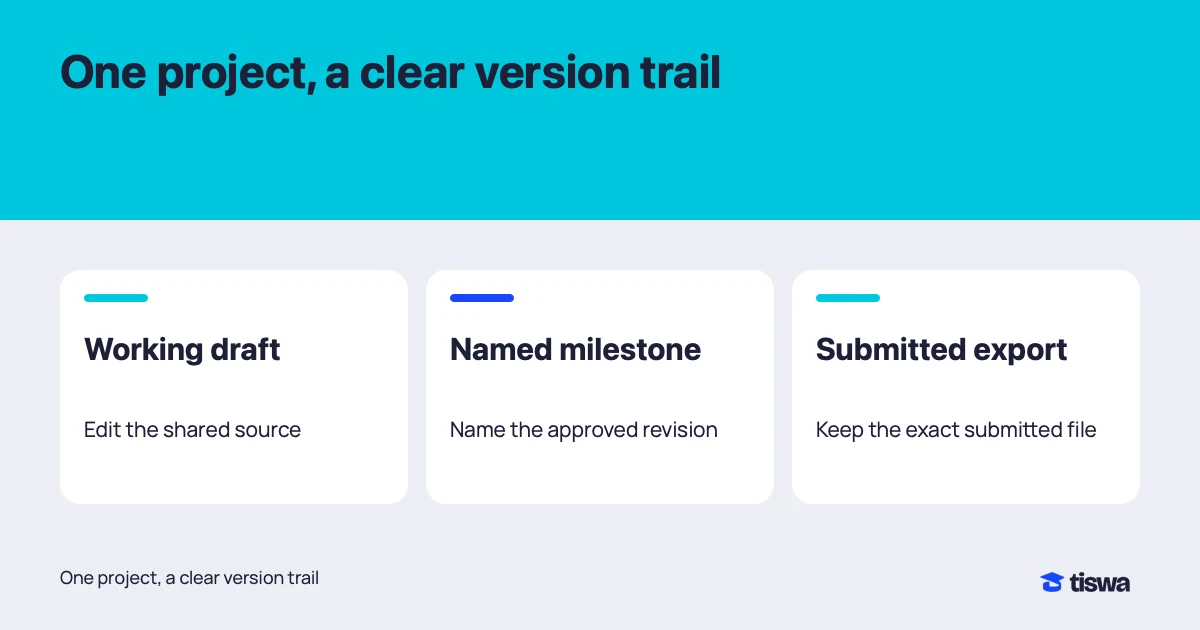
Version history is the file’s archive. It shows who edited, when, and what changed, and anyone with edit access can restore an earlier version.3 Documents allow up to 40 named versions, so name the important ones: "all sections drafted", "after editor review", "before freeze".3 Remember that versions can occasionally be merged, so version history is not a replacement for a PDF copy the group keeps in the folder.
When do you open it? When a paragraph disappears and nobody knows why, and when two people disagree about who changed a sentence. The question is not who is at fault but what changed and whether to bring it back. For file naming and restoring passages in graduation projects, read capstone version control in Google Drive.
When should you freeze the file before submission?
At least twenty-four hours before the deadline. Freezing means only the editor touches the text and everyone else sends notes to the editor. In that window the editor checks table numbering, that the contents page matches the headings, that every in-text citation appears in the reference list, and that no paragraph points to "the figure below" after the figure moved. Then the editor exports a PDF and opens it from the first page to the last, because Arabic fonts can change in conversion in ways you do not see on screen.
Agree from the start who uploads to the university system, who keeps a copy, and what happens if the upload fails before the deadline. Ask your course instructor, not your teammates, whether Word or PDF is required. The research submission checklist helps here. And if your course needs extra software, browse student discounts in Saudi Arabia and the Student Discount Index.