By the tiswa editorial team, from the official sources listed at the end of this guide. How we write our guides
You are in row five of a big hall, the instructor is moving fast, and a thought arrives: I wish I could record this. Before you hunt for the best app, a different question comes first: am I allowed to record this lecture at all? App stores will not answer it, and we cannot answer it for your university. Its regulations and your instructor can.
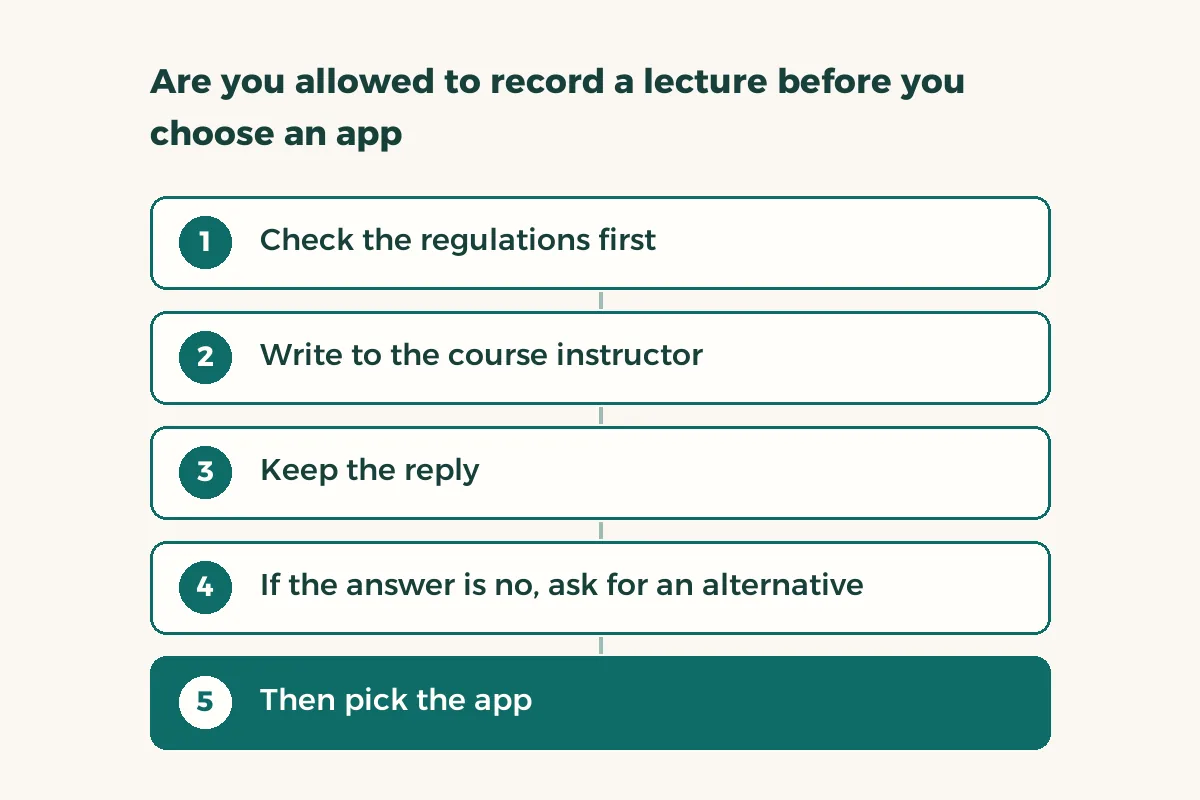
Are you allowed to record a lecture before you choose an app?
Do not assume. Open the student handbook or conduct regulations on your university’s website and search for words like recording, filming and lecture hall. If you find nothing, ask the course instructor directly. Remember that a recording captures your voice and the voices of classmates who ask questions, and that is personal data. SDAIA, the Saudi Data and AI Authority, publishes data-governance material on its national platform.2 We do not summarise what the law requires here; read the source or ask the relevant office at your university.
- Check the regulations first
Open the handbook and conduct regulations on your university’s site and note what they say about recording or filming in class. If they say nothing, note that too.
- Write to the course instructor
A short message: “I would like to record the lecture audio for my own revision only, and I will not share or post it. Do you allow this?” Avoid a vague question.
- Keep the reply
A screenshot or the message text is enough. Do not rely on a verbal yes in a corridor.
- If the answer is no, ask for an alternative
Ask whether the lecture is posted on the course platform or whether slides and notes are available. If your situation calls for an accommodation, go to the support unit.
- Then pick the app
Only now start the comparison in the next section.
How do you compare lecture recording apps with a test in the hall?
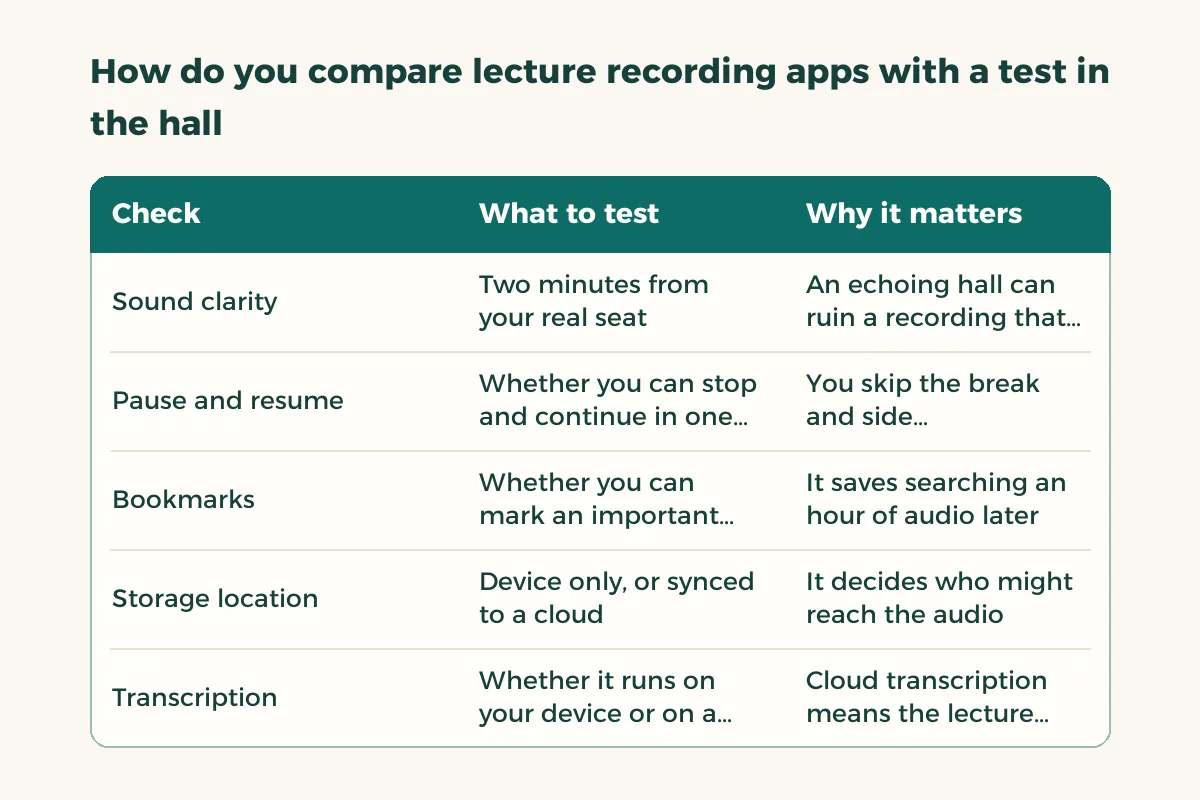
Online reviews describe a room that is not yours. Test it yourself: sit in your usual seat, record two minutes of the explanation, and listen back with headphones. Can you hear the instructor clearly? Does the air conditioning drown out speech? Does the recording stop when a call comes in?
| Check | What to test | Why it matters |
|---|---|---|
| Sound clarity | Two minutes from your real seat | An echoing hall can ruin a recording that sounded fine in your room |
| Pause and resume | Whether you can stop and continue in one file | You skip the break and side conversations1 |
| Bookmarks | Whether you can mark an important moment | It saves searching an hour of audio later |
| Storage location | Device only, or synced to a cloud1 | It decides who might reach the audio |
| Transcription | Whether it runs on your device or on a server | Cloud transcription means the lecture audio leaves your phone |
| File size and battery | What a one-hour lecture costs | You do not want to lose half the recording |
Take Apple’s Voice Memos on iPhone as an example of what a built-in app does. Its guide describes pausing and resuming a recording, choosing a recording mode depending on the iPhone model, using Voice Isolation to reduce background noise, and syncing recordings across devices through iCloud if you set it up.1 That last point matters here: if you switch sync on, the lecture audio now sits on a cloud service.
Where is the lecture audio stored, and what about transcription?
Many apps offer a “transcript” in one tap. Ask where it was produced. If it happened on your phone, the audio never left. If it happened on the company’s server, it did. We are not saying this is forbidden, since your university might allow it. We are saying it is a decision that needs clearer permission, because it is your instructor’s voice and your classmates’, not just yours.
Summarising with AI calls for extra caution. Before you upload a recording or its transcript to a tool, read AI privacy for students and check what your university permits in AI academic integrity rules.
How do you study from a recording without replaying the whole hour?
Listening to the whole thing again adds little. Use your bookmarks to replay only the hard parts, then summarise each in three lines of your own. The three-pass method in studying from recorded lectures works as it stands, and how to take notes covers you if recording is not permitted at all.
If you missed a lecture, do not wait for a classmate’s recording. Read catching up after missing lectures first, then ask the instructor for an official source.
Should you share the recording with classmates?
Safest is not to, without permission. Sending a file with your instructor’s voice and classmates’ questions into a WhatsApp group takes it outside the “my own revision” you asked about. If classmates want it, suggest they ask for permission themselves, or share your written summary instead of the audio.