By the tiswa editorial team, from the official sources listed at the end of this guide. How we write our guides
Time management apps for students do not manage your time on their own. A simple system does: a calendar that knows where you are every hour, a task list that knows what has to get done, and a timer that keeps your phone away while you study. With those three, almost any app will do.
Tool one: the calendar
The calendar holds everything with a fixed time: lectures, labs, exams, deadlines and shifts if you work. Google Calendar syncs between phone and computer, and if your university runs Microsoft 365, the Outlook calendar already comes with your university email.
- Make a separate calendar for each kind of event: lectures, exams, personal. Give each a colour so you can hide what you do not need.
- Enter every exam and deadline from each course outline in week one, not as they come.
- Set a reminder a week before each exam and three days before each deadline.
Tool two: the task list
The task list holds work that must get done but has no set hour: an assignment, a chapter to read, slides to prepare. Microsoft To Do comes with a Microsoft account, syncs with Outlook tasks and has a My Day list where you pick today's tasks from every list.
If you would rather keep it all in one place, Notion lets you build a task table with columns for course, due date and status, linked to a summaries page for each course.
Tool three: the focus timer
Forest is a pomodoro-style focus timer. You pick a length and a tree, the tree grows while you stay focused and dies if you leave for other apps. You can build an allowlist of apps you need for studying. It runs on iOS, Android and as a browser extension, and the company plants real trees.
If you would rather not add an app, iPhone Screen Time lets you set a Screen Time Schedule for when entertainment and social apps are available, plus Time Allowances for them, so they stay locked during study hours.
Build your week in 30 minutes
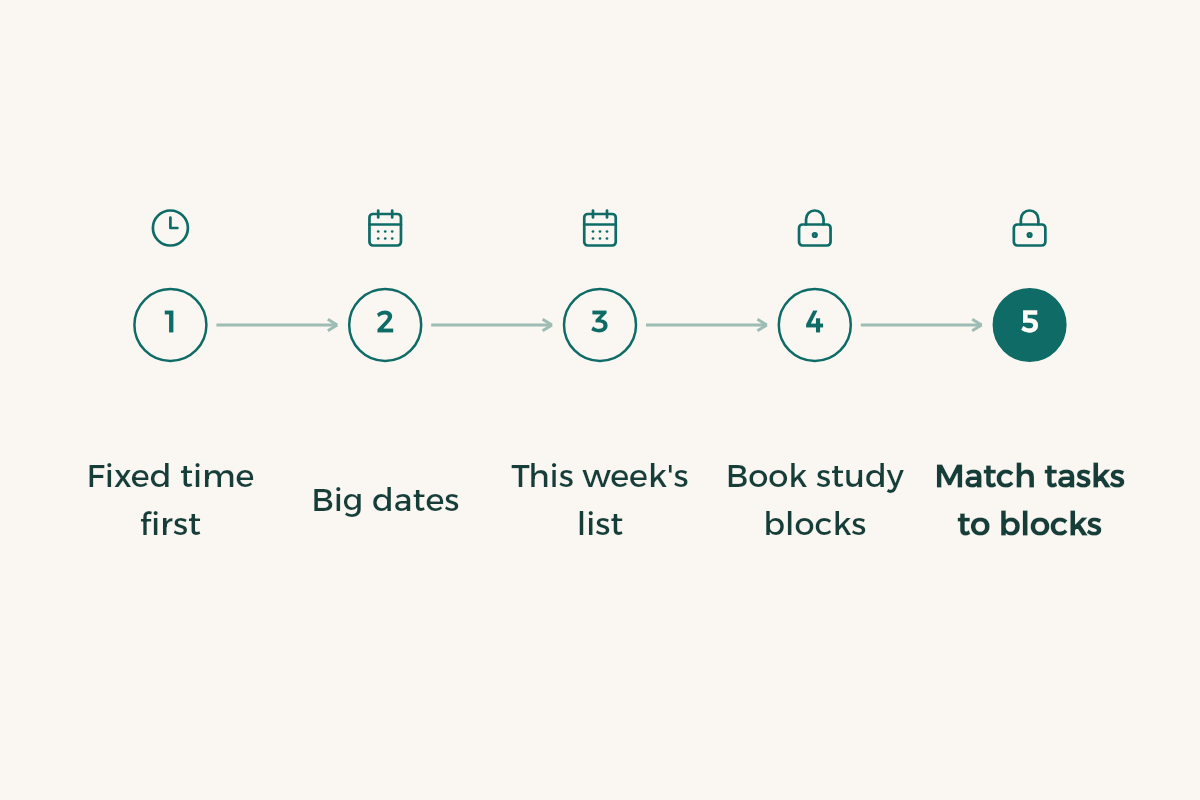
- Fixed time first
Put every lecture, lab, shift and commute in the calendar. That time is taken. What is left is the time you plan.
- Big dates
From each course outline, enter midterm, final and submission dates.
- This week's list
In the task list, write everything due this week, split into tasks shorter than an hour.
- Book study blocks
Add 50-minute study blocks in the gaps between lectures and name each one after its course.
- Match tasks to blocks
Give each block one or two tasks from the list. A task with no block will not get done.
- Weekly review
On Thursday or Friday, check what got done, move the rest to next week and start again.
A sample study day
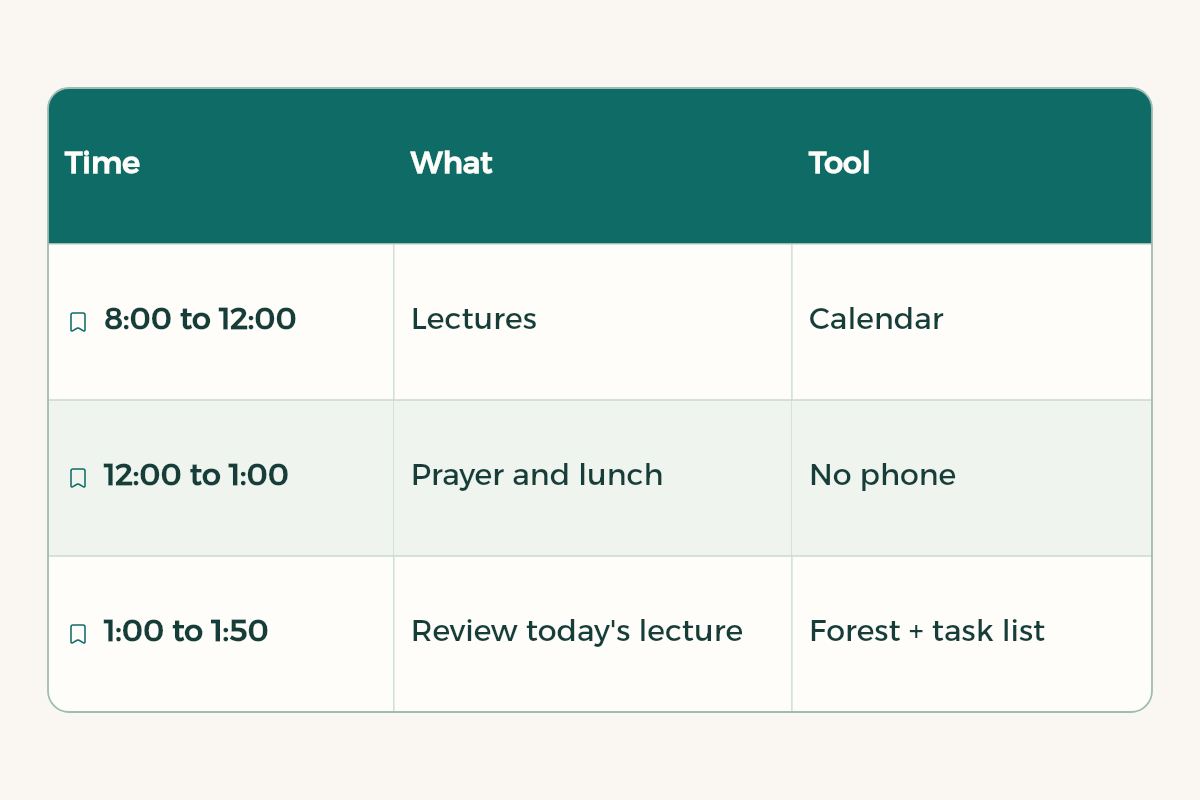
| Time | What | Tool |
|---|---|---|
| 8:00 to 12:00 | Lectures | Calendar |
| 12:00 to 1:00 | Prayer and lunch | No phone |
| 1:00 to 1:50 | Review today's lecture | Forest + task list |
| 2:00 to 2:50 | Assignment or problem set | Forest + task list |
| Late afternoon | Rest, exercise or a shift | Calendar |
| 10 minutes before bed | Pick tomorrow's tasks | Task list |
When you fall behind
Every plan breaks in midterm week or when a surprise assignment lands. Organised students are not the ones whose plans never break. They are the ones who get back on track fast:
- Do not rewrite the whole plan. Move unfinished tasks to the nearest free block and delete what no longer matters.
- Sort by deadline and weight: an assignment worth 10% due tomorrow comes before a chapter for an exam in two weeks.
- If three big tasks land on one day, cut each into a 25-minute piece and start one. Starting is the hardest part.
- Keep one light day a week with no booked study. It absorbs delays before they pile up.
- If you fall behind every week, the problem is your estimates, not you. Double the time you expect for each task until you learn your real pace.
Let AI draft the plan
When the week is crowded, paste your timetable and deadlines into an assistant like Gemini or ChatGPT, ask for a draft plan, then edit it yourself in the calendar:
I am a university student. Here is my fixed lecture timetable: [paste timetable]. Here are my deadlines and exams for the next two weeks: [paste dates]. I focus best in the [morning or evening]. Build me a weekly plan as a table with day, time, course and task, using 50-minute study blocks with 10-minute breaks and no more than 4 blocks a day. Start with the course whose deadline is closest.
Choose tools by your problem
No single app suits everyone. Choose by the problem you actually have:
| Your problem | Start with | Why |
|---|---|---|
| You forget deadlines | A calendar with an alert two days before | The alert reaches you even if you never open the app |
| Lots of scattered tasks | A task list with dates | Everything in one place, sorted by what is due first |
| You start and drift fast | A focus timer | Short sessions with a clear end |
| The phone eats your time | Screen Time | A daily limit on the apps that pull you in |
Limit the apps that distract you
Screen Time on iPhone lets you set a daily limit for chosen apps, with a notice when the time runs out:
- Open Settings, then Screen Time
Look at the weekly report first: how many hours go to each app.
- Choose App Limits
Add a limit and pick the apps or category that take most of your time, such as social networking.
- Set a realistic limit
Start too low and you will ignore it. Lower it a little each week.
Time management mistakes
- Filling every minute: one small delay wrecks the whole day. Leave gaps between tasks.
- Planning without reviewing: five minutes at the end of the day to see what is done and what moves to tomorrow.
- Switching apps every two weeks: the system you stick to matters more than the best app.
For focus inside a session, see the Pomodoro technique and Focus mode on iPhone. To run the whole term in one place, read Notion for students.
Exam weeks: the same tools, set up differently
Priorities change in exam weeks, so change how you use the tools. Put every exam in the calendar in its own colour, and split each course in your task list into chapters instead of one big task called "study". Let the focus timer count how many sessions you finish per course, so you see where you are behind before the exam gets close. At the end of each day, move what is left straight to the next day instead of leaving it hanging.
- Notion: Notion offers Notion Education plan for students to university students in Saudi Arabia for free.
- Google AI: Google AI offers Google AI Plus free for a year to university students in Saudi Arabia.
- Xmind: Xmind offers 10% off Xmind subscriptions to university students in Saudi Arabia from SAR 19.
Read next: study apps for students and the best apps for university students.