By the tiswa editorial team, from the official sources listed at the end of this guide. How we write our guides
iPhone focus mode for studying is the simplest fix for notifications that break your concentration halfway through a chapter. You create a Focus called Study, decide who can reach you and which apps stay live, and let it switch on by itself at study time. Setup takes about five minutes, and after that you never touch it.
Do Not Disturb or a custom Study Focus?
Do Not Disturb silences almost everything, which is fine when you want total quiet. Most students need two things to keep working, though: the project group chat and the university app, so announcements from the instructor still come through. A custom Focus lets those in and keeps the rest out: social apps, shopping apps and family groups.
A Focus can also change how the phone looks. Link it to a Home Screen page that holds only study apps, and the icons that pull you into scrolling disappear while it is on.
Create a Study Focus step by step
- Open Settings
Go to the Settings app on your iPhone, then tap Focus.
- Add a new Focus
Tap the Add button (+) at the top, then tap Custom.
- Name it
Enter a name such as Study, choose a color and an icon, then tap Next.
- Customize it
Tap Customize Focus. This is where People, Apps, Lock Screen, Home Screen and schedules live.
- Choose people
Tap People, tap Allow Notifications From, tap the Add button and pick contacts: close family and project teammates, for example.
- Choose apps
Tap Apps, tap Allow Notifications From, and add only study apps: your university app, university email, Calendar.
- Link a study Home Screen
Choose the Home Screen and select a page that holds only study apps. If you do not have one yet, move those apps to a new page first.
- Schedule it
Tap Add Schedule, then set the times, a location or an app that turns the Focus on. For example, 8 to 11 pm Sunday to Thursday, or arriving at the university library.

Three schedules that fit a student day
Scheduling is what turns a Focus into a habit instead of something you remember once and forget ten times. These three work well with a typical university week:
| Schedule | What to set in Add Schedule | Best for |
|---|---|---|
| Time | A fixed block each day, such as two hours after dinner, on study days only | Students with a steady routine at home or in housing |
| Location | Turn on when you arrive at the university library or your college building | Students who study on campus between lectures |
| App | Turn on when you open a specific app, such as Notes or your PDF reader | Students who start studying on the phone or iPad |
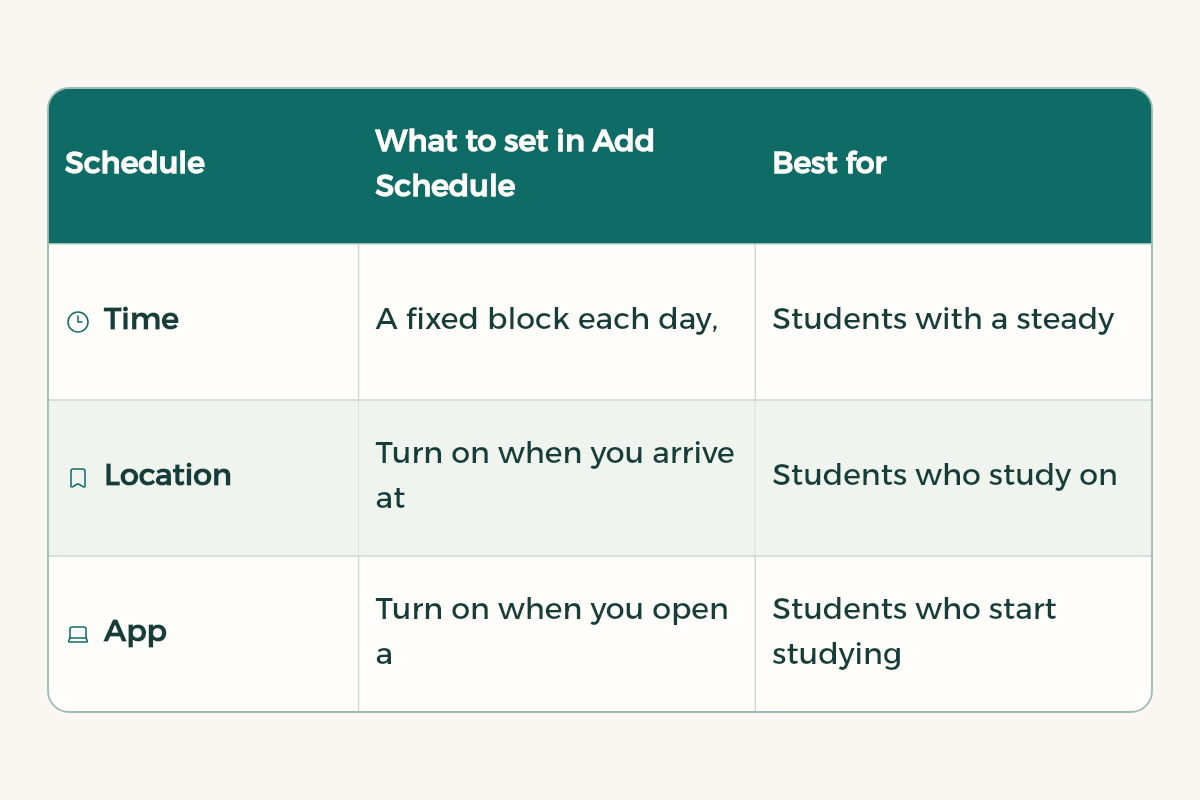
One Focus can have several schedules. If you use the Pomodoro technique, schedule the Focus by time and run Clock timers for the 25 minute rounds inside it.
Focus filters: change what apps show
Beyond silencing notifications, you can decide what some apps display during the Focus. In Settings > Focus > Study, scroll down to Focus filters, then tap Add Filter. Useful examples:
- Calendar: show only your university calendar and hide the social one.
- Mail: show only your university account, so store promotions stay out of sight while you revise.
- Safari: open a Tab Group made for studying.
One note from Apple: Focus filters do not sync across devices even when Share Across Devices is on, so add them on each device.
Bring the iPad and Mac along
If your iPad or Mac uses the same Apple Account, turn on Share Across Devices in Settings > Focus. Turning on Study on the phone then turns it on everywhere. That matters because most note taking now happens on the iPad, and one banner on the big screen is enough to lose the thread. The full iPad setup is in iPad for studying.
Example: a full study day with Focus
Here is a student with morning lectures and evening study using a "Study" Focus in a practical way:
- Morning lectures
Turn the Focus on entering the hall, allowing only family and the university app.
- Between lectures
Turn it off to answer stacked messages in ten minutes, then put the phone away.
- Evening study
Turn it on for two hours, and keep the phone off the desk even with Focus running.
- Before bed
Switch to the Sleep Focus so study does not turn into a long scrolling session.
The idea is not to block everything, but to set times for messages and times for focus, and stick to them.
Tell the people around you
Focus works better when family and friends know when you are available. Send your friend group a simple message: "Studying from 8 to 10 pm, I will reply after." Add to your allowed list only the people who may need you urgently. That eases the worry of missing something important, so you focus more.
A two-week plan to get used to it
- Week one: turn it on manually for every study session and notice when you feel like switching it off.
- Week two: set an automatic schedule around your usual study times, and cut the allowed apps.
- After two weeks: compare your Screen Time before and after, and decide what to keep.
For ideas that support Focus beyond the phone, see how to focus while studying.
Mistakes that quietly break a Focus
- Allowing whole messaging apps: if Messages is allowed, every group gets through. Allow specific people instead.
- Skipping repeated calls: in People you can allow repeated calls, so anyone who calls twice within three minutes reaches you. Turn it on so real emergencies are never missed.
- Keeping the normal Home Screen: the banner is silent but the icon is still right there. A linked study page fixes that.
- A schedule with no day limits: if it fires on Friday, you will turn it off, and then you will get used to turning it off.
Measure it with Screen Time
After a week, open Settings > Screen Time. Check which apps take most of your time and how often you pick up the phone. If one app still shows up during study blocks, silence it in the Focus or remove it from the study page. For the habits around the phone itself, read how to focus while studying.
Want one tap that turns on the Focus and opens your study file? That is exactly what iPhone shortcuts for students are for.
- Apple: Apple offers iPad Air to university students in Saudi Arabia from SAR 3,299, 6% less than the regular SAR 3,499.