By the tiswa editorial team, from the official sources listed at the end of this guide. How we write our guides
AI privacy tips for students start with one question: where do the files and questions you type actually go? You might upload unpublished research, graduation project data, or notes with classmates' names. This guide collects what the official pages of four popular tools say about training, retention and deletion, with steps to set your preferences in a few minutes.
The first rule, before any setting
Google's Gemini privacy hub puts it plainly: do not enter confidential information that you would not want a reviewer to see. That rule holds for every tool. ID numbers, passwords, health details and your survey participants' data all belong outside the chat.
- Remove names and personal numbers from a file before you upload it, or replace them with codes.
- Do not upload survey or interview data unless your research consent allows it.
- Never paste a password, verification code or API key into a chat.
- If the project is for a company or a training placement, ask about their policy first.
ChatGPT: turn off training, keep your history
OpenAI's help page says that on personal Free, Plus and Pro accounts, data sharing is on by default. When you turn off Improve the model for everyone, your new conversations are not used to train OpenAI models, and they still appear in your chat history.
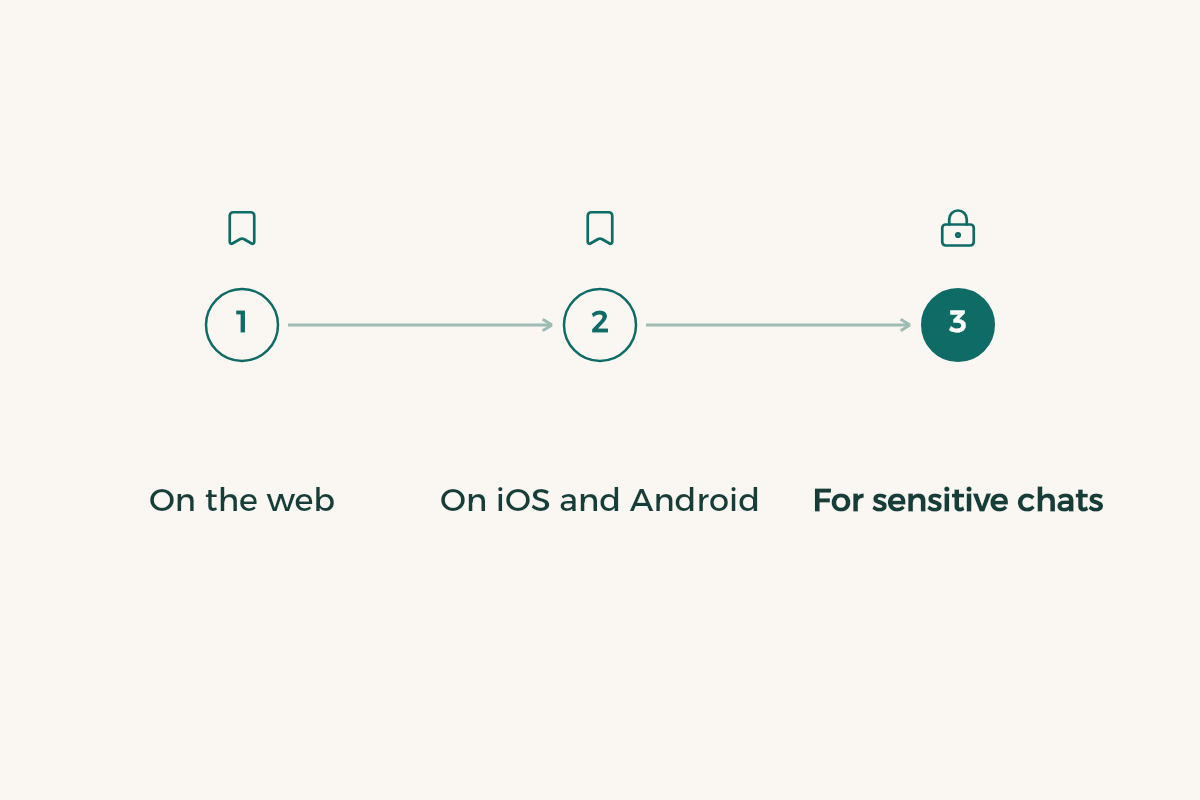
- On the web
Open your account menu, select Settings, then Data controls, turn off Improve the model for everyone, and select Done.
- On iOS and Android
Open the sidebar, tap your profile icon to open Settings, select Data controls and turn off the same option.
- For sensitive chats
Use Temporary chat. OpenAI says these do not appear in history, do not create memories, are not used to improve models, and may be kept for up to 30 days for safety.
Personal plans can also request a data export or delete the account from settings, and OpenAI notes that deletion is permanent. If your university gives you ChatGPT Edu, the page says content in Edu workspaces is not used for training by default, and your university's settings apply.
Claude: model improvement and incognito chats
Anthropic's privacy page says chats on personal Claude plans are used to improve its models if you allow it in your privacy settings, or if a conversation is flagged for safety review. You can change the choice from the privacy settings in your account.
- Incognito chats are not used to improve Claude, even if model improvement is on.
- If you rate a reply with thumbs up or down, the related conversation is stored for up to five years, de-linked from your user ID.
- Content from connected tools such as Google Drive is not used for training unless you copy it into the chat.
Gemini: activity and retention
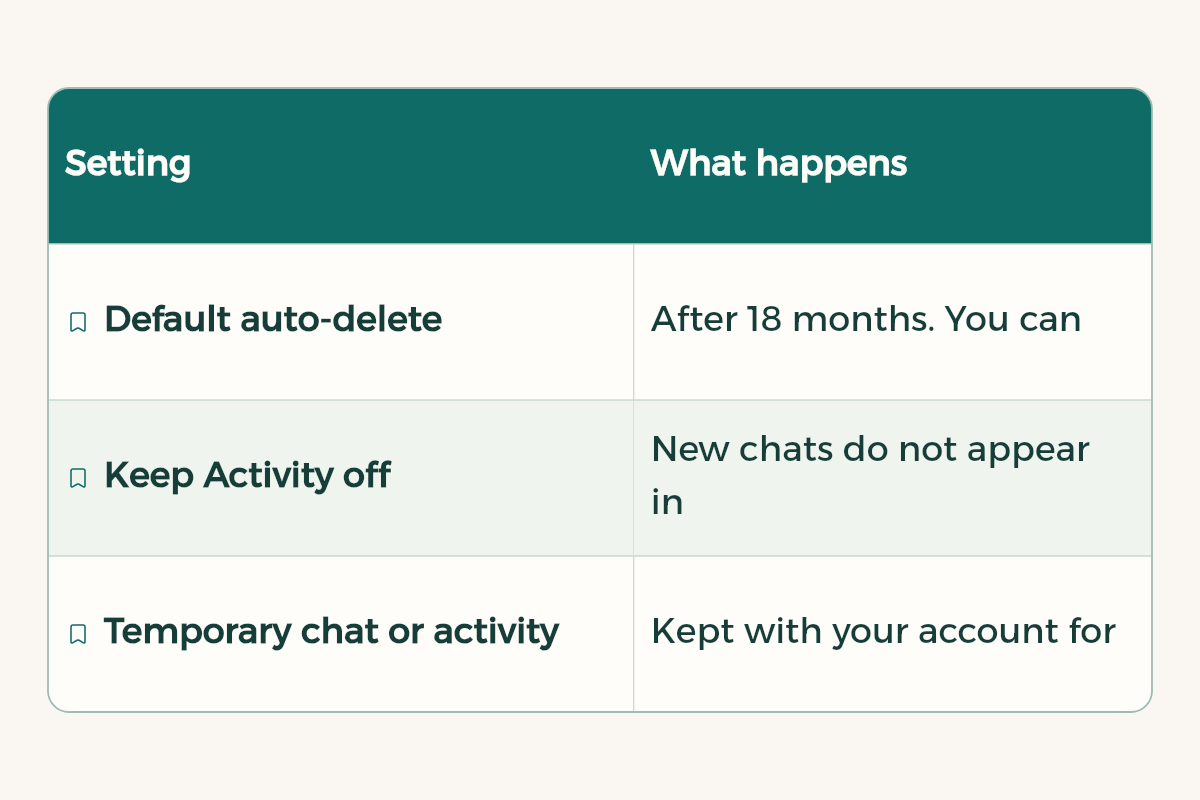
In Gemini the setting is called Keep Activity. The Gemini privacy hub says that when it is on, your chats are saved to your activity and Google uses them to improve its services, including training generative AI models, with a subset reviewed by human reviewers after being disconnected from your account.
| Setting | What happens |
|---|---|
| Default auto-delete | After 18 months. You can change it to 3 or 36 months, or turn it off |
| Keep Activity off | New chats do not appear in your activity or train models, unless you send feedback |
| Temporary chat or activity off | Kept with your account for 72 hours to respond and to protect users, not used for training |
| Chat already reviewed by a person | Kept for up to three years, even if you delete your activity |
DeepSeek: read this before you upload
DeepSeek's official privacy policy says it collects text, voice input, uploaded files, photos and chat history, and that it processes and stores personal data in the People's Republic of China. It says data may be used to train and improve its models, and that you can opt out by emailing the privacy address in the policy. You can delete chat history in settings, and deleting the account is permanent. More in our DeepSeek guide for students.
Quick comparison
| Tool | Stop training | Chat kept out of history |
|---|---|---|
| ChatGPT | Improve the model for everyone in Data controls | Temporary chat |
| Claude | Model improvement in privacy settings | Incognito |
| Gemini | Turn off Keep Activity | Temporary chat |
| DeepSeek | Email request under the privacy policy | Delete history in settings |
A five-minute privacy routine
- Open settings in every tool you use
Look for Privacy, Data controls or Activity.
- Decide on training
If you do not want your chats used, turn it off.
- Set auto-delete
In Gemini, pick a shorter period if it suits you.
- Use temporary chats for sensitive work
Especially for personal files or research data.
- Clean up each semester
Delete old chats with files you no longer need.
To choose the right tool in the first place, read ChatGPT vs Claude vs Gemini and AI tools for students.
What to upload and what to keep out
The simplest protection is to decide the type of content before you open any tool. This table is a practical rule you can use with every assistant:
| Type | Example | Decision |
|---|---|---|
| Public content | Explaining a concept, a general question, published text | Usually safe |
| Course files | Lecture slides, your own notes | Fine if course policy allows it, ideally with training turned off |
| Your work before submission | A draft paper or graduation project | With care, in a temporary chat where available |
| Personal data | National ID, phone number, transcript | Do not upload |
| Other people's data | Classmates' names and grades, patient details from training | Never upload |
| Login details | Passwords, verification codes | Never upload |
Situations students meet often
A nursing student wants to summarise notes on a case from clinical training: remove the name, exact age, file number and any detail that identifies the patient first, or describe the case in general terms from memory. A student polishing a CV removes the phone number and address from the copy they upload and adds them back only in the final file. A student on a graduation project with a company asks the supervisor before uploading any company data or code, because many organisations forbid it.
The same logic works for any file: if you upload a document to summarise a PDF with AI, delete pages with personal data first. If you are writing a CV with AI help, follow AI for your CV.