By the tiswa editorial team, from the official sources listed at the end of this guide. How we write our guides
Fifteen hundred characters is all the free plan gives you for custom instructions.1 That is enough to tell ChatGPT you are a second-year nursing student, your textbooks are in English, and you want the Arabic term in brackets. You write it once instead of retyping it at the top of every chat.
What are ChatGPT custom instructions?
A place to share anything you want ChatGPT to consider in its responses, applied to your chats as soon as you save.1 They are available on all plans, on the web, the desktop app, iOS and Android.1 They work alongside the personality you pick in the same settings, though a personality does not change what ChatGPT can do or its safety rules.4
How to set up ChatGPT custom instructions
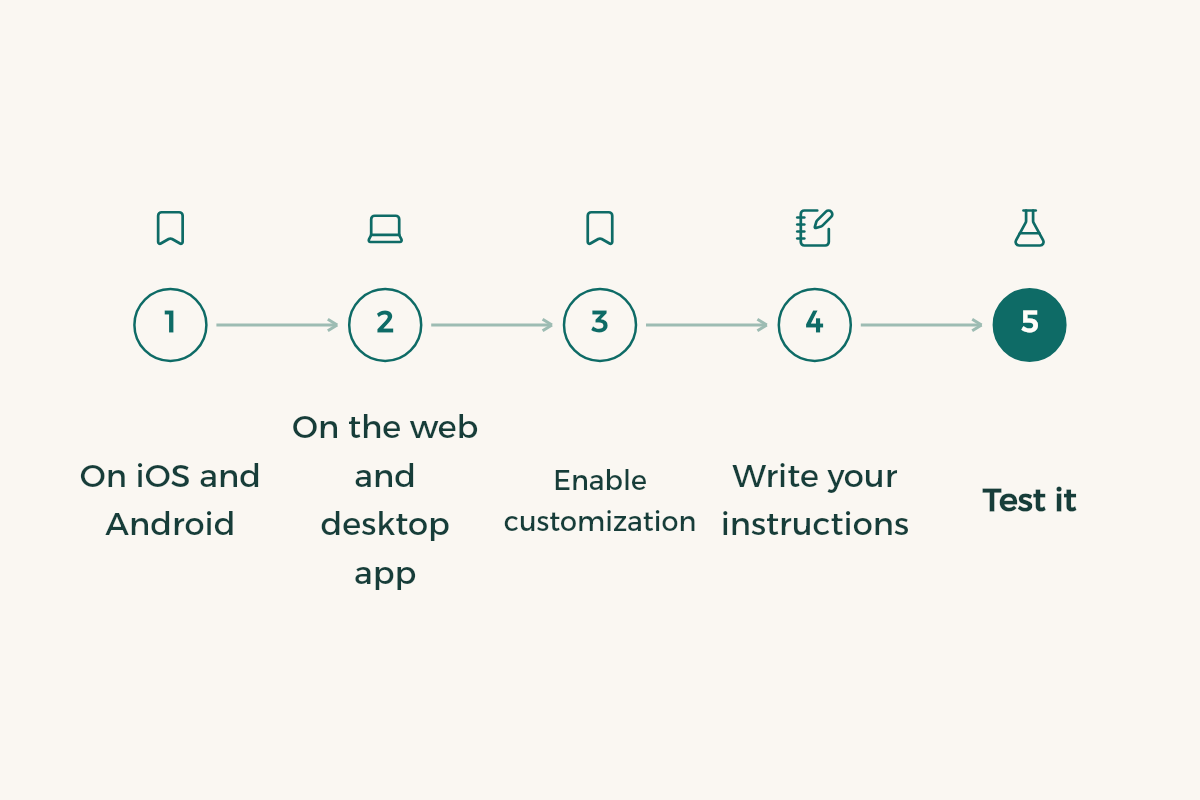
- Open settings
Web and desktop: Settings > Personalization. iOS and Android: Settings > Customize ChatGPT.1
- Turn customization on
Check that Enable customization is switched on.1
- Write your instructions
Paste your text into the Custom Instructions field and save.
- Test in a new chat
Ask a question from one of your courses and compare the style with what you asked for.
To pause them, go back and switch Enable customization off. The text stays saved for later.
What is the character limit for each plan?
| Plan | Limit |
|---|---|
| Free and Go | 1,500 characters |
| Plus and Pro | 5,000 characters |
| Education, Business and Enterprise | 5,000 characters |
Those limits come from OpenAI's help page.1 Fifteen hundred characters goes faster than you expect, especially if you mix Arabic and English, so write short bullet points and leave the detail for each chat.
ChatGPT for college students: what should you write?
We kept each template under 1,500 characters so it works on the free plan. Copy the one that fits and change the brackets:
I am a year [number] student in [major] at [university], and my courses are taught in [English/Arabic].
How I want answers:
- Start with a two-line answer, then the detail.
- Use plain English and give the Arabic term in brackets for key concepts.
- Use Saudi examples where they make sense.
- If you are not sure, say so instead of guessing.
- Do not write my assignments for me. Help me understand and review.
I study [medicine/nursing/pharmacy/applied medical sciences] and my textbooks are in English.
- Structure any disease or drug as: definition, mechanism, signs or use, the point most likely to be examined.
- Add a short Arabic summary at the end for revision.
- Remind me that my course textbook decides doses and reference values.
I study [engineering/computer science] and need step-by-step working.
- Problems: givens, then formula, then substitution, then the unit in the result.
- Code: explain the idea first, keep code short with comments, and name the language and version.
- If I ask about graded work, give me a hint, not the full solution.
I study [business/accounting/law/English].
- End each reply with a short list of my language mistakes.
- For academic writing use APA when you cite, and never invent a reference.
- Use Saudi market examples for business topics.
Once the instructions are in, the prompts come next; templates are in ChatGPT prompts for studying.
ChatGPT for homework: where should the line be?
Put it in the instructions themselves. "Do not write my assignments for me" and "for graded work, give a hint, not the answer" are the two most useful lines a student can add, because they work even on a tired night when you would rather just paste the question. Your university's rules on AI use still apply whatever you write; see AI and academic integrity rules.
ChatGPT for language learning: what to add
Two lines do most of the work: ask for corrections in a short list after the reply, not woven into it, and ask for the rule with each one. A student preparing for STEP or an academic writing course needs to see the mistake and the reason, not receive a rewritten paragraph with no idea what changed. A full practice plan is in practise English with ChatGPT.
How to use ChatGPT memory alongside instructions
Custom instructions are what you write; memory is what ChatGPT keeps. It comes in two kinds: saved memories, which you ask it to keep or it saves as useful, and reference chat history, which draws on past conversations.2 Saved memories are stored separately from chat history.2
- Find them under Settings > Personalization > Manage memories.2
- Turning Memory off does not delete past chats.2
- Deleting a chat does not remove a saved memory from it, so delete both if you want the detail gone.2
- Turning off reference chat history deletes what was remembered from past chats from OpenAI's systems within 30 days.2
- Temporary Chats do not appear in history, do not use memory and are not used to train models.5
Why are my custom instructions not working?
If you are inside a GPT, that is the reason: GPTs do not use saved memory, custom instructions or previous conversations.3 A course GPT that ignores your style is behaving as designed, so add two lines about yourself at the start of that chat. Temporary Chats skip memory too.5 If instructions are on and a normal chat still ignores them, the problem is usually the text: too long, or two conditions that contradict each other. Move the rule that matters most to the first line.
How do you test your instructions?
Do not assume they work. Open a new chat and ask three questions from your courses: one to check understanding, one to apply a rule, and one asking for feedback on a paragraph you wrote. Then look at three things in the replies: language, length and level. If the reply came back in English when you asked for Arabic, or ran long when you asked for two lines, the rule is worded weakly or buried too far down. Rewrite it shorter, move it to the top, and ask the same three questions again.
When should you update custom instructions?
At the start of every term. First-year instructions will not suit your graduation year, and five minutes is enough:
- Add this term's courses
List the main course names so the context is right.
- Delete what has ended
Such as "I am in the preparatory year" once you are past it.
- State the term's goal
Such as "preparing for a professional exam" or "writing my graduation project".
- Review memory
Delete old or wrong details in Manage memories.2
What should you never put in custom instructions?
Sensitive personal data. The Saudi Data and AI Authority's generative AI guidelines for the public warn that users can expose sensitive information without meaning to, because some services use what is typed into prompts as training data.6 So leave out your national ID or iqama number, your university portal password, your phone number and any health details. Your first name, major and year are plenty.
Common mistakes with custom instructions
- Contradictions, such as "keep it short" next to "explain in depth".
- Putting your national ID or university portal login in the text; SDAIA warns that prompts can expose sensitive information.6
- Instructions written in the preparatory year and never updated.
- Trusting the answer because the style fits. Your course textbook is still the reference.
- Expecting a course GPT to read your instructions.
For more on keeping your data safe, read AI privacy for students, and for what OpenAI offers students in Saudi Arabia, see ChatGPT for students.