By the tiswa editorial team, from the official sources listed at the end of this guide. How we write our guides
A lecture was recorded on Blackboard on Sunday, and the student told herself she would watch it on Thursday. By Thursday she had four recorded lectures, estimated six hours at normal speed, and watched them all at double speed. She finished remembering nothing. The example is illustrative, but plenty of university students have lived it. A recording gives you flexibility with time and removes the urgency a lecture hall used to supply.
Why does rewatching a whole lecture not work?
University learning centres say that reading alone is not studying, and that rereading notes leads to quick forgetting.1 Rewatching is the same trap: it makes what was said feel familiar, so you believe you understood, and then a question appears that does not look like anything you heard. The gap between recognising a voice and knowing the idea is exactly what the exam tests.
Recordings add a risk, because pausing and rewinding cost nothing, so pausing becomes a substitute for effort. A useful pause is one where you ask yourself a question or write a sentence in your own words, not one where you replay the same sentence.
What is a three-pass method for studying recorded lectures?
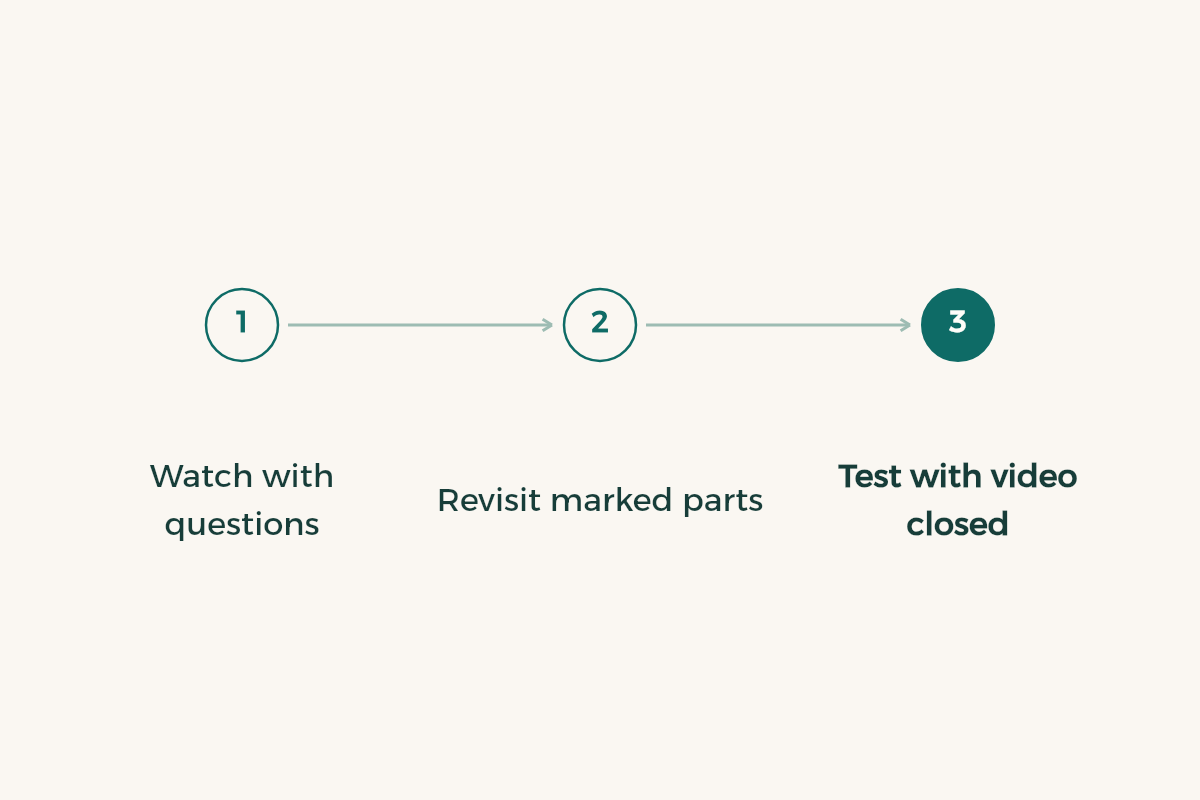
- Pass one: watch with questions
Watch the lecture once at normal speed and write your questions, not the lecturer’s words. Put the time beside each question: “23:40 why does the value change here?”
- Pause about every ten minutes
Write what the lecturer said in those minutes in your own words, with the video paused. Whatever you cannot write is what you have not understood; mark it.
- Pass two: selective review
Rewatch only the marked segments, using their timestamps. Usually this is about ten minutes of a fifty-minute lecture, a fifth of it.
- Pass three: test yourself with the video closed
Close the recording and write what you remember, solve a problem from the exercises, or explain the idea to a classmate. Your errors here decide what the next review hour is for.
- Put all three passes in your calendar
Pass one the same day or the next, pass two two days later, pass three over the weekend. Schedule them exactly as you would a live lecture.
The numbers above are an example of the method and will differ by course. Some lectures are a third new material, others entirely new, so adjust to what you need.
How do you review recorded lectures without wasting time?
Before you press play, open the slides or the course outline and read the lecture’s headings. Those two minutes give you a map of where the new material starts. While you watch, hold one question: what will I know after this lecture that I do not know now?
| Lecture segment | What to do | What to avoid |
|---|---|---|
| Explaining a new idea | Watch at normal speed and pause to write | Speeding up and losing the thread |
| Worked example | Try the solution before you see it, then compare | Copying the solution as shown |
| Revision of what you know | Skip ahead or watch faster | Lingering on it |
| Announcements and admin | Put the dates in your calendar | Ignoring them and meeting a deadline cold |
Do not expect to give every minute equal attention. A lecture is not a novel; it is a mix of new, known and administrative material, and sorting it quickly is half the studying.
How do you take notes from a recorded lecture?
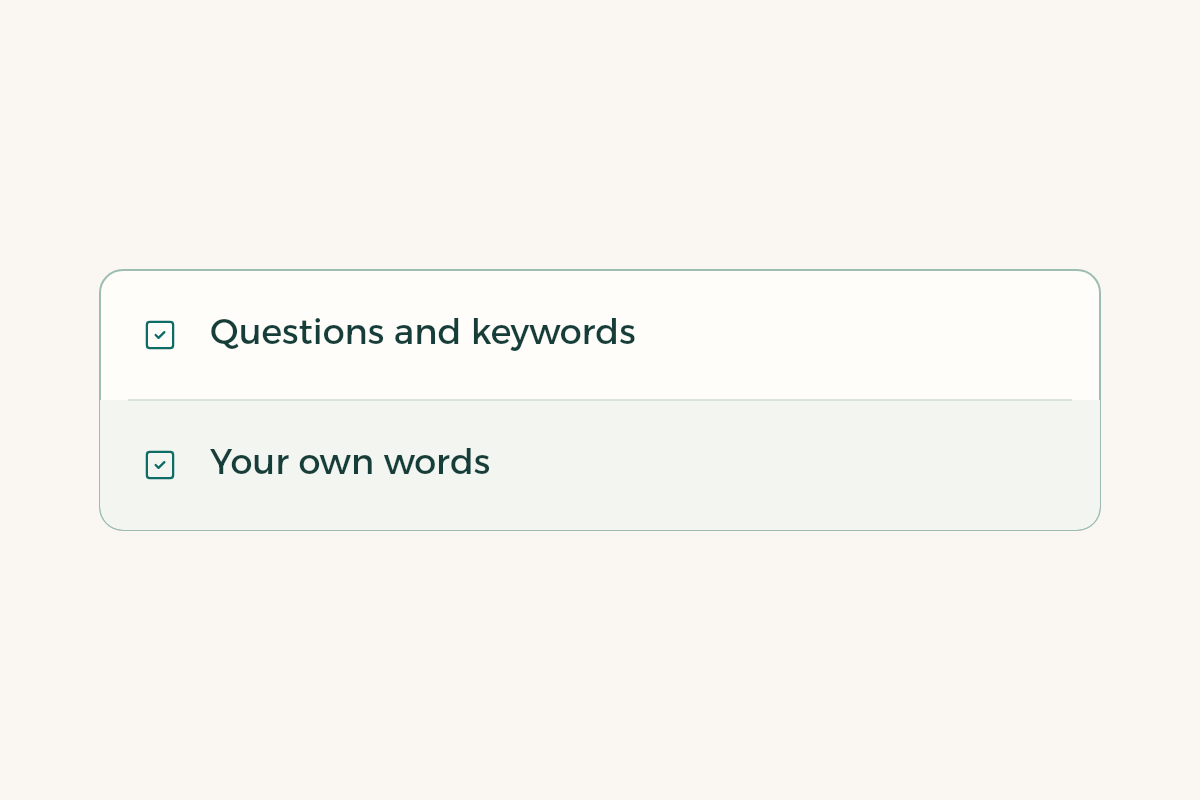
Cornell’s Learning Strategies Center describes several note-taking methods, including the Cornell system, and says good notes are the ones you can use.2 With recordings, avoid transcribing. Make your page two columns: questions and keywords on the left, your own wording on the right. At review time, cover the right column and test yourself from the left. For more see the guide to taking notes.
If your platform lets you add time-linked notes or download the slides, use them. But before you share a recording or run it through an outside transcription tool, ask your lecturer what your university allows. The lecture may belong to the lecturer, and it may carry your classmates’ voices.
How do you stay focused on recorded lectures at home?
A lecture hall makes you sit still; home offers distractions. Give your recorded lectures a fixed place and a hall-like setting: phone out of reach, door closed, a timer on. The Pomodoro technique helps here, with twenty-five minutes of watching and note-taking and a five-minute break. If distraction still wins, read how to focus while studying.
A screen recording tool can help in one case: record yourself explaining the idea you just reviewed. If you can explain it for two minutes without looking, you understood it. That is the point of the Feynman technique.
When does this method not work?
It fits poorly when lectures are very short and numerous, such as twenty clips of ten minutes. There, merge the passes: watch several clips, then test yourself once. It also fits poorly when the course relies on class discussion, because the recording carries only half the content, so ask classmates about the debate. And if you are two weeks behind, do not try to catch up on everything; start from the newest lecture and return to older ones once you follow what is happening now.
One mistake repeats: making up for delay with long night sessions. Short sleep weakens retention, so swap one full night of watching for three short sessions on three days. For planning the whole week see the study plan template, and for the course platform see the Blackboard guide.