By the tiswa editorial team, from the official sources listed at the end of this guide. How we write our guides
A student in Sakaka looks at the schedule and sees that three courses from two earlier semesters are still undone, and a new course requires all of them. Does he register the new one and hope the system allows it, or start with the delayed ones? The answer does not come from instinct. It comes from one sheet of paper with the courses and the arrows between them. Whoever draws it knows the order in ten minutes.
How do you register for courses at Jouf University?
The Deanship of Admission and Registration at Jouf University handles admission and registration services, with applications through the electronic portal, and it has published an admission guide covering procedures, common questions and contact points.2 After admission, registration uses the student electronic services on the official university site,1 so go in from there and do not rely on links passed around.
- Open the university site
Start from the official site and look for the Deanship of Admission and Registration and student services.
- Sign in and check your account
Test your password before the registration window. If you are asked to update your data, do it early.
- Open your study plan
It shows completed and remaining courses, and the prerequisites of each.
- Draw the prerequisite map
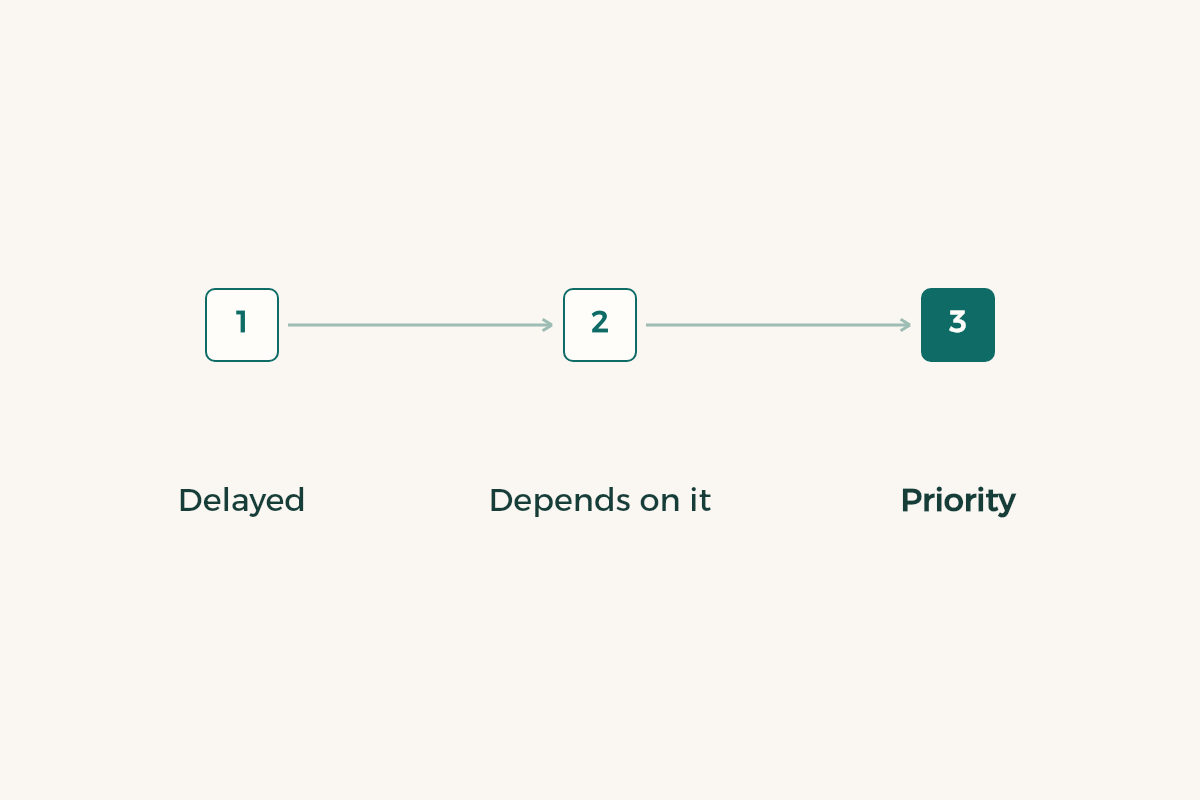
Put delayed courses in one row, what requires them in the row below, and join them with arrows.
- Build the timetable and backups
Two sections at least for every course, and watch for time clashes.
- Confirm and screenshot
After saving, reopen the page and check that all courses show.
What if you have delayed courses?
Begin with a question: why was the course delayed? If you failed it you may retake it as it is, and if it was not offered in your semester ask the department when it will be. Those are different paths in the plan. Then write beside each delayed course what depends on it: which later course requires it, in which semester it is offered, and whether its time clashes with another.
The drawing will sometimes show that one course blocks three semesters. Then it can be better to postpone a comfortable course and open the road. If you are unsure of the regulations, take your map to the academic advisor. An advisor who sees the drawing answers more precisely than one who hears a general question.
| Your situation | What to draw | What to ask |
|---|---|---|
| Failed a course that has a follow-up | The course and what depends on it | When it is offered and whether it can be taken together with others |
| A course was not offered in your semester | Alternatives in the plan | The academic department |
| You do not know why a course will not show | The prerequisite | Advisor and the registration deanship |
| Your load is heavy | The lighter courses you could postpone | The effect of postponing on graduation |

The table shows a way of thinking and does not replace the study regulation or the approved plan of your programme.
How many hours should you register in a semester?
The study and examination regulation of your university sets the minimum and maximum hours for a semester, and the limit may differ with your academic standing.3 Read the figure in the published regulation and not in a post. One rule helps in every case: do not register more than you can finish, because a course you withdraw from costs more than one you never registered.
If you want to raise your average after a stumble, the guide to raising your GPA explains how, and if you want to calculate it before deciding the GPA calculation guide is enough. If you have reached a warning, read academic probation before registering, because your permitted load may change.
How does add and drop work at Jouf University?
Add/drop is a window the university sets in its calendar, in which you adjust your schedule within the rules. We do not print its dates because they change each semester. A common error is using this window to repair a mistake that could have been avoided before registering. If in the first week a section does not suit you, adjust it in the window, and if the matter is larger, ask about withdrawal and its effect on your enrolment.
Before any drop, check the effect on your graduation. You may drop a hard course and delay a whole chain. Take the following example, which is illustrative: a student drops one of five courses to lighten the load, then finds it is a prerequisite for two courses next semester. Had she drawn her map before dropping, she would have seen it in a minute.
What should you bring when you visit the deanship?
Bring your student number, a copy of your plan with your notes, and a picture of the confirmed schedule. Write your question in two sentences before you go in: what the problem is and what you want. That shortens the visit and lets the employee see your need at first glance. If you are writing through electronic channels, attach pictures instead of describing.
And do not wait for the last day. Registration problems are easy to solve in the first week and complicated once the semester has moved on. If you study alongside field training, read the guide to a co-op training schedule to coordinate your times.
Last, watch the cost of the term: books, devices and travel between town and campus. Your student card opens many discounts, and the student deals are worth a look before you buy.