
By the tiswa editorial team, from the official sources listed at the end of this guide. How we write our guides
A recruiter at a company in Riyadh opens email on Sunday morning and finds eighty messages. They read the subject, then the first line, then decide. Your strong application can vanish if the subject is “Request” and the first line is “Peace be upon you, I am a student who loves to learn”. This is an invented example, but the email is your first test, before the CV and before the interview.
How to apply for co-op training in Saudi Arabia by email?
Purdue’s writing lab advises opening with why you are writing, why you suit the job and the organisation, and when you will follow up.1 That structure works for an email too.
- Subject line
“Co-op application, your name, major”. Do not write “Request” on its own.
- Greeting
“Dear Hiring Team” or, if you know the name, “Dear Mr/Ms [name]”. A short “Assalamu alaikum” is also normal in Saudi business email.
- First line
Who you are and what you apply for: “I am [name], a [major] student at [university], applying for your advertised co-op programme.”
- Next two lines
Why this employer and what you bring: one project or course connected to their work, in one sentence with a verb and a result.
- Closing
Name the attachments, add your mobile number, thank them, and sign off with your name.
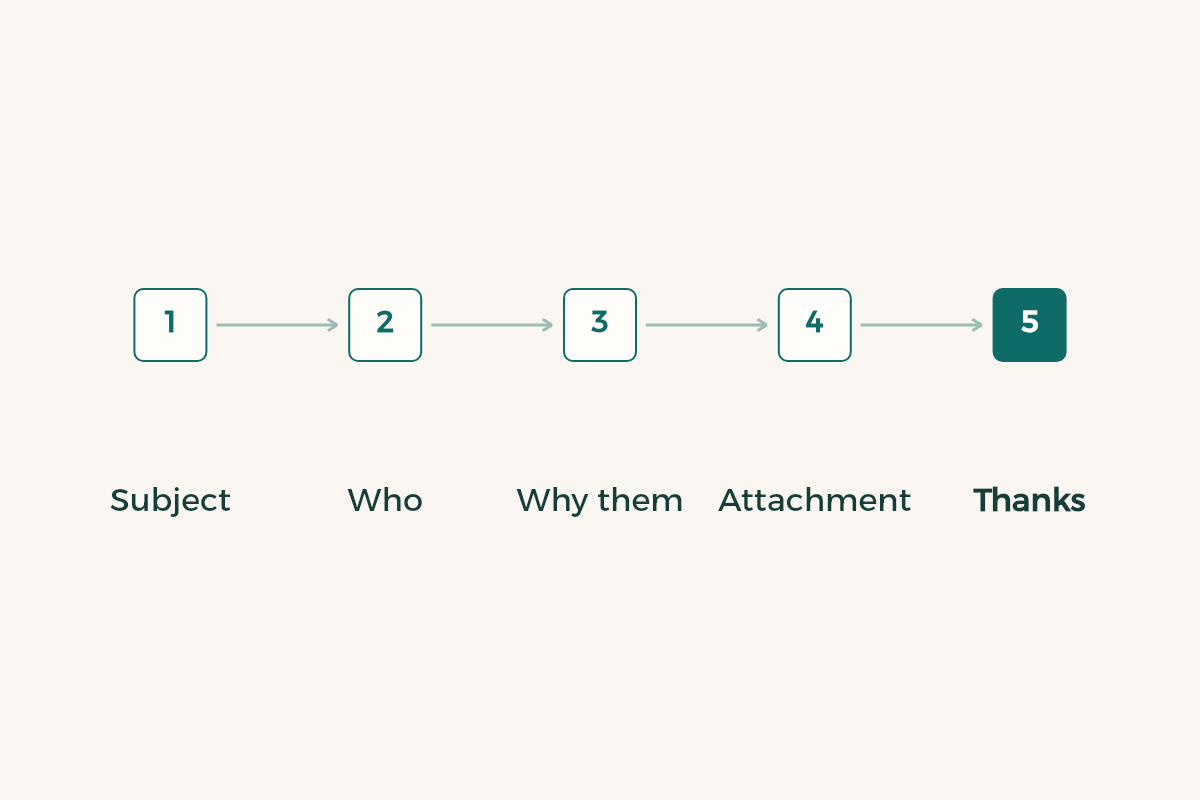
Here is a model formal email, as an example: “Peace be upon you. I am [name], a [major] student at [university], applying for your advertised co-op programme. In [course] I completed a project on [topic], which I think matches the task of [task from the posting]. I have attached my CV and transcript. My mobile is [number]. Thank you for your time. Kind regards.” Change the brackets to suit your case and delete whatever does not apply.
Which language should you write in?
Write in the posting’s language. If it is in English, write in English; if it is in Arabic, write in Arabic; if it is in both, choose the language of the CV you attach. Do not mix them in one message, and do not start in Arabic and slide into English mid-sentence. If the CV is in one language and the email in the other, say so in one line. For the choice between the two CV languages, see the guide on an Arabic or English CV.
The tone is formal without stiffness. A short “Assalamu alaikum” is enough as a greeting, and you do not need three phrases of blessing before the request. Avoid emoji, avoid slang, and avoid heavy use of brackets.
What should you attach to the email?
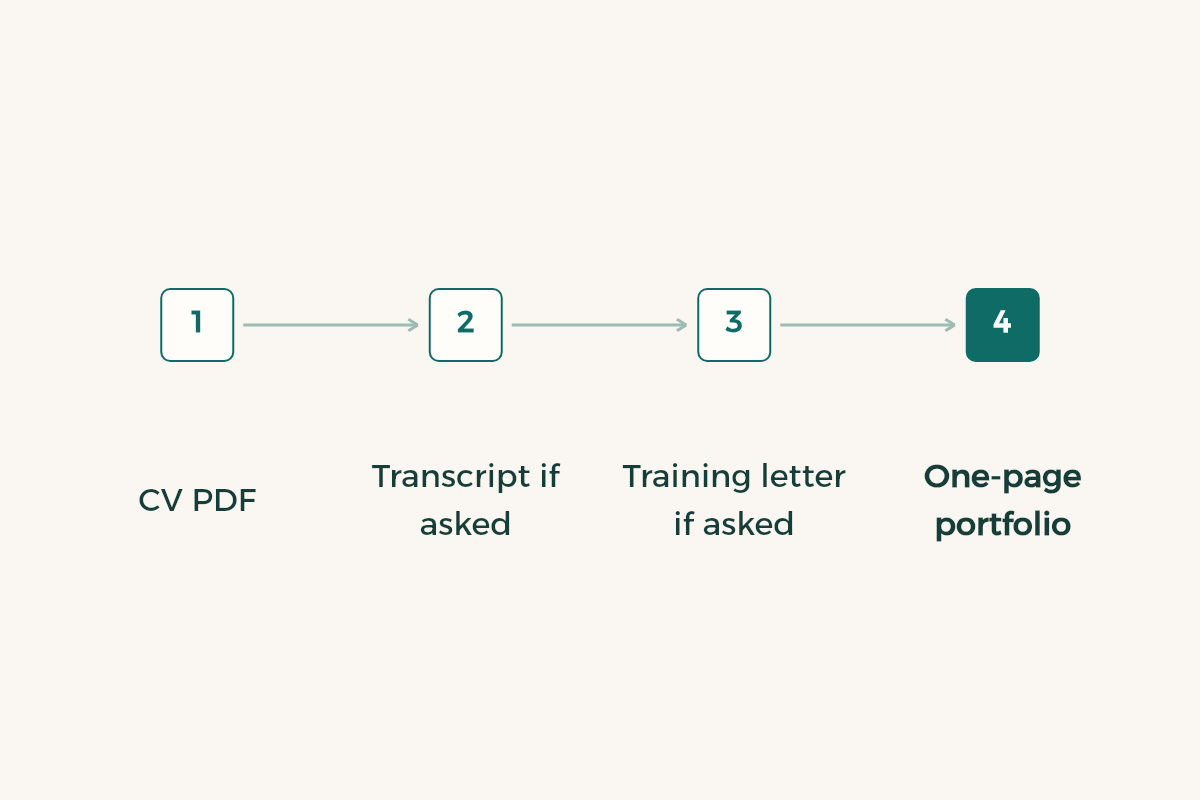
| Attachment | When to attach it | Note |
|---|---|---|
| CV as a PDF | Always | Name it yourname_major |
| Transcript | If requested | Do not attach it if nobody asked |
| University training letter | If requested | Ask the training office when it is issued |
| One-page portfolio | When it helps | One page that serves the posting |
Gmail’s limit for personal accounts is 25 MB, and above it Gmail removes the attachment and adds a Google Drive link instead; work and school accounts have limits set by the administrator.2 Do not test the limit. Keep files small, because the employer’s system may be stricter than yours. Compress images and never attach full-size phone photos.
If you want to show a project, make it a link or a single page, not ten files. For more detail see the guide to building a portfolio.
How to apply for internship in Saudi Arabia by email?
With one sentence about the employer. “I follow your work in [field]” is not necessarily a good sentence, because it may be generic. Better to name something you read in their posting: a programme name or a kind of task. That shows you wrote it for them and did not send it to twenty employers. Do not praise the employer in large words, and do not state anything you cannot defend in the interview.
If you apply to many employers, keep one template but change the employer’s name, the task and the specific sentence before every send. The worst mistake is an email reaching one company with another company’s name in the first line. Read the first line twice before pressing send.
What mistakes are common in application emails?
An empty subject line, or one like “Request”. A greeting that goes on too long. A body of five paragraphs. Attachments named “CV 2”. A CV in a format that will not open on a phone. A personal address with an unsuitable nickname. And finally, not saying exactly what you are applying for, since a recruiter may be receiving applications for several programmes. Make your address your name if you can, and if you cannot, create an account in your name for applications.
Check that the email reads well on a small phone. Open your draft on your mobile before sending: if you scroll three times to read the body, it is too long. Short emails get read.
When should you send the email and how do you check it?
Send it when you have finished checking it, not when you feel nervous. If you can, avoid sending late at night, since a message that arrives at the start of the working day is often read before one buried under yesterday’s mail. That is a practical view, not a rule, so do not use it as a reason to delay. Before pressing send, run a short five-point check: the employer’s name is right, the attachment is present and is the latest file, the subject states the purpose, the body is under six lines, and the mobile number is correct.
Here is a second model, written as an example for a chemistry student: “Peace be upon you. I am [name], a chemistry student at [university], applying for your advertised co-op placement in the quality lab. In my analytical chemistry course I ran a titration in three repeats and documented it in a report, which is attached. My CV is attached and my mobile is [number]. Thank you for your time.” Notice it has a verb, a number and an attachment, and stays within five lines.
What do you do after sending?
Record the employer and the send date in a sheet and wait for the period the posting gives. If it gives none, follow up after about two weeks with a short question, using the method in the guide to following up on a co-op application. The formal request letter you attach as a file is the topic of the guide to the co-op request letter. For the whole route see the co-op training guide.