By the tiswa editorial team, from the official sources listed at the end of this guide. How we write our guides
You finish a pleasant YouTube series on cybersecurity and you now know the words: firewall, encryption, injection attack. Two weeks later a friend asks how a browser actually talks to a website, and you have nothing to say. The problem is not you. The course gave you names and never made you do anything.
What makes a cybersecurity course suitable for a beginner?
A suitable course starts at the foundations of networks, operating systems and security concepts, and only then moves to tools. Every week has a clear aim and an exercise you can actually run. A course that opens with hacking before explaining how a connection works produces a learner who memorises commands they do not understand.
Course length and a polished landing page are not the measure. The honest test is a question: what will I be able to do after this that I cannot do now? If the course has no specific answer, it is showing information, not building skill. For the wider learning plan, see learn cybersecurity from scratch.
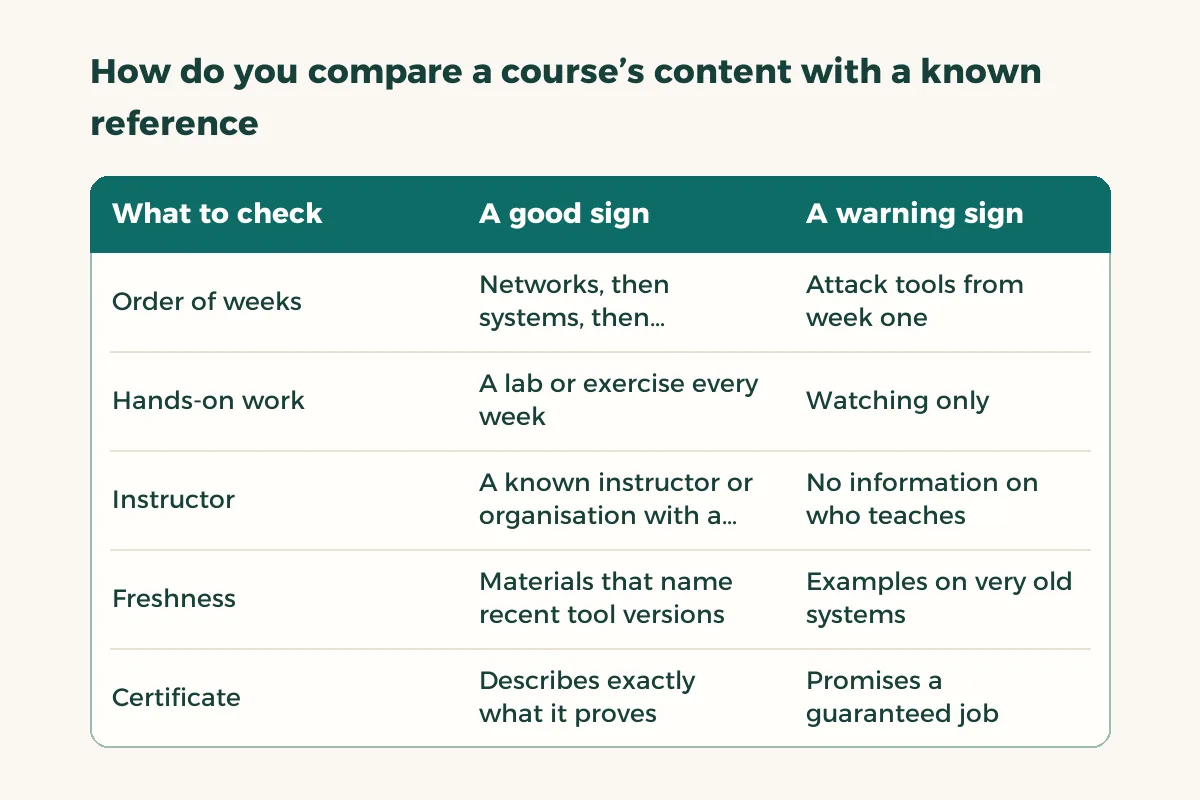
How do you compare a course’s content with a known reference?
There is a free, open reference called CyBOK, built by more than a hundred international experts, covering 21 knowledge areas in cyber security and intended to support education and training.1 You do not need to read it all. Open its contents page, set the course’s weekly schedule beside it and see where each topic falls. A course that covers the core ideas in a sensible order beats one that jumps to tools.
If you have a particular job in mind, look at the NICE framework from the US National Institute of Standards and Technology. It describes cybersecurity work roles and the knowledge and skills linked to each.2 Pick a role that looks close to you, such as incident analysis or risk management, and ask whether the course teaches any skills from that role.
| What to check | A good sign | A warning sign |
|---|---|---|
| Order of weeks | Networks, then systems, then concepts, then tools | Attack tools from week one |
| Hands-on work | A lab or exercise every week | Watching only |
| Instructor | A known instructor or organisation with a public profile | No information on who teaches |
| Freshness | Materials that name recent tool versions | Examples on very old systems |
| Certificate | Describes exactly what it proves | Promises a guaranteed job |
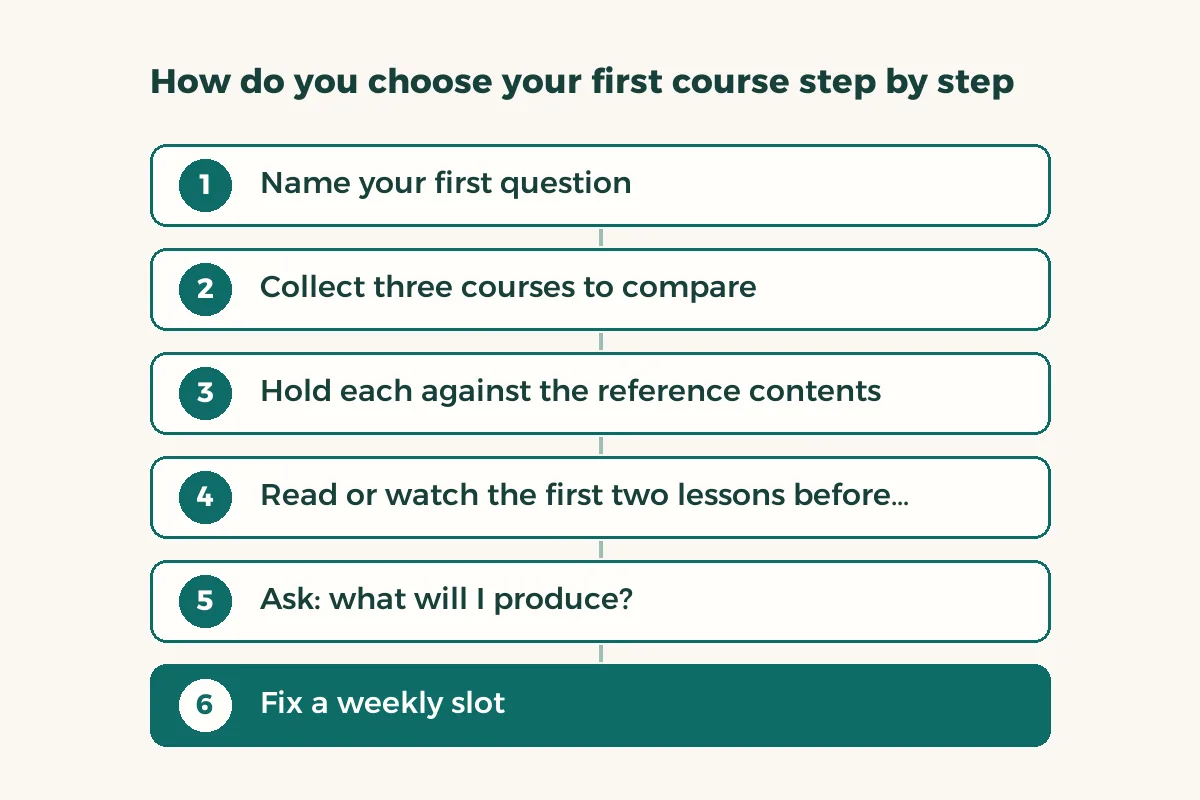
How do you choose your first course step by step?
- Name your first question
Do you want to understand how networks are protected, how weaknesses in websites are found, or how a team responds to an incident? One question narrows the field.
- Collect three courses to compare
From different platforms, and copy each weekly schedule onto one page.
- Hold each against the reference contents
Put each schedule beside the CyBOK contents and mark the areas it covers.1
- Read or watch the first two lessons before paying or enrolling
If they are free, view them. Does the teaching suit you, and can you run the exercise?
- Ask: what will I produce?
For each course write down what you will leave with: a lab, a report, a tool. If you find nothing, drop it.
- Fix a weekly slot
Two hours on the same day each week beats eight hours in one day followed by silence.
How do you practise safely and inside the law?
The rule that never changes: do not test any tool on a system you do not own or lack explicit permission to test. Cybersecurity runs on trust, and a learner who crosses that line loses their reputation before starting. There is a legal side in Saudi Arabia too, and the National Cybersecurity Authority is the body that regulates the sector and publishes its frameworks and controls.4 When in doubt, ask your instructor before you try anything.
So where do you practise? You have three safe options. First, a virtual machine on your computer holding a system you set up to experiment on. Second, practice platforms built so that attacks can be tried on them. Third, deliberately weak learning apps, such as the OWASP projects that teach the most common web application mistakes.3 Never use your main laptop, the university network or a real website for an experiment.
| Week in the course | Small safe exercise | What you keep |
|---|---|---|
| Network concepts | Draw your home network, naming each device and address | A diagram and a short write-up explaining a connection |
| Operating systems | Install a Linux distribution in a virtual machine and create users with different permissions | A command file and notes |
| Passwords and encryption | Test the strength of sample passwords you created yourself | A short report on the best policy |
| Web security | Read the OWASP Top Ten and find one of its mistakes in a learning app | A one-page summary per risk |
| Incident response | Read a sample log and mark the suspicious event | An incident report for a made-up case |
For more on using AI in this kind of learning and where its legal limits sit, read AI for cybersecurity students.
What should you do with what you build in the course?
What you build becomes material for your professional file. Write one paragraph for each exercise: the problem, what you did and what you learned. Put it in a GitHub repository if you know how, or in a tidy folder if not. The GitHub for beginners guide shows how to start. That file is what you lean on when applying for training, and you will find ideas for larger projects in cybersecurity co-op projects.
And the certificate? If the course issues one, find out exactly what it proves: that you completed the materials, or that you passed an exam? The difference matters to an employer. See professional certifications in Saudi Arabia and free courses with certificates for the options.
Do you need a paid course or are free resources enough?
Many people start free, and that is fine. What a paid course adds is structure: a schedule, an instructor you can ask and feedback on your work. If you organise yourself well, open material such as CyBOK and free lab exercises can carry you for a year. If you need outside pressure, a paid course is worth what you commit to it.
Before paying, check the provider’s name, read the refund policy and avoid any advert that promises a job. Compare its content with the others using the method above. If you are weighing the same subject as a degree, see the comparison of cybersecurity study plans.