By the tiswa editorial team, from the official sources listed at the end of this guide. How we write our guides
GitHub for beginners starts with one idea: Git is a version control system that tracks changes to your files. It lets you work on your own copy of a project, record a history of your changes, and merge your work with other people's safely. GitHub is a platform built on Git that brings together the tools you need to build software, from idea to running code. Students use it for assignments and projects, and because it is where employers look at your work.
The words you will hear
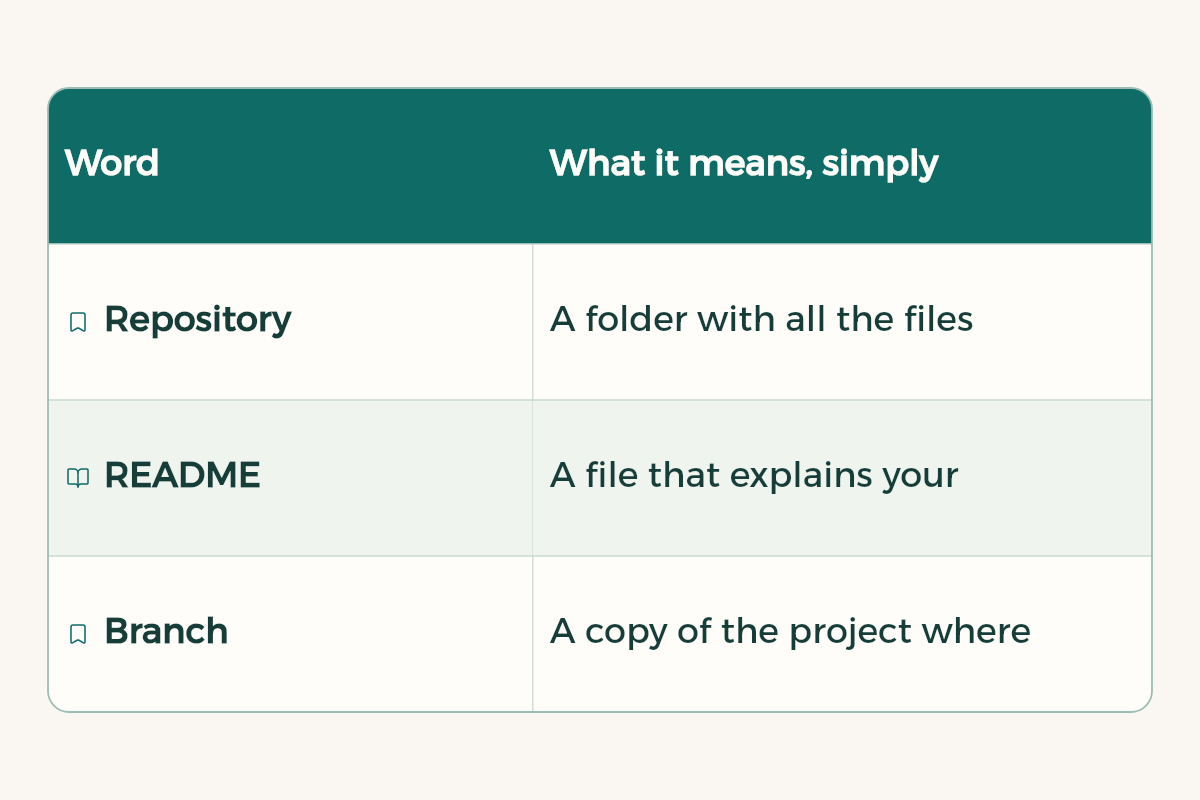
| Word | What it means, simply |
|---|---|
| Repository | A folder with all the files of one project, plus their history |
| README | A file that explains your project, written in simple Markdown |
| Branch | A copy of the project where you experiment without touching the main version |
| Commit | A saved change with a message explaining why you made it |
| Pull request | A request to merge your branch into main, showing the differences in colour |
| Merge | Bringing a branch's changes into the main version |
The Hello World exercise, step by step
GitHub's docs have an official exercise called Hello World that teaches the platform's basics in one sitting, without writing any code. Do it in your browser like this:
- Create a repository
From the menu at the top of the page choose New repository, name it hello-world, add a short description, tick Add a README file, and click Create repository.
- Create a branch
On the Code tab, click the branch menu that says main, type a new branch name such as readme-edits, and choose Create branch.
- Edit and commit
On your new branch, open README.md, click the edit icon and write two lines about yourself. Then click Commit changes and write a message that says what you changed.
- Open a pull request
On the Pull requests tab click New pull request, pick your branch to compare with main, review the differences, then click Create pull request and add a title and description.
- Merge
Click Merge pull request, then Confirm merge. Your changes are now in main, and you can delete the branch.

Command line or GitHub Desktop?
You can use Git from the command line, and over time you will need to. But if you are new, GitHub Desktop is easier: a free, open source app with a graphical interface that simplifies commands and helps you see your changes, available for Windows and macOS. Start there, and move to the command line once the idea clicks.
Make your profile represent you
GitHub shows a special README on your profile page when four things are true: you created a repository whose name matches your username exactly, the repository is public, it has a file called README.md at its root, and that file has any content. In it, write:
- One line about you: your major, your university and your tech interest.
- The skills you are working on right now.
- Links to your two or three best projects.
- How to reach you, such as your LinkedIn link. See LinkedIn for students.
If you want help writing it, use this template with any AI assistant:
Write me a README.md for my GitHub profile. I am a [major] student at [university], interested in [field]. I am currently learning [skills]. My best projects: [project name, link and one-line description]. Keep it short and clear in English and Arabic, with simple Markdown headings, few emoji and no exaggeration about my level.
Publish your site for free with GitHub Pages
GitHub Pages is a static site hosting service: it takes HTML, CSS and JavaScript files from your repository and publishes them as a website at an address like yourname.github.io. It is available for public repositories on the free plan. It is the easiest way to publish your portfolio, see how to build a portfolio and learn HTML and CSS.
GitHub in university projects
As soon as a group project starts, create one repository for the team and add your classmates. Everyone works on their part in a branch named after them or the task, opens a pull request when done, and one teammate reviews before merging. That way nobody's work gets lost, and you can go back to any earlier version if something breaks. Use the README to write how to run the project and who does what. At the end of term, the repository itself becomes proof of your work to put on your CV.
Habits that matter from your first project
- Small, clear commits beat one big commit with everything. Write the message as if explaining to a classmate.
- Every project gets a README that says what it does and how to run it.
- Never upload passwords or API keys to a repository.
- Upload your solutions from Satr or any course, so your progress shows.
Activate the GitHub Student Developer Pack
With your university email you can apply for the GitHub Student Developer Pack, which unlocks developer tools for free, including JetBrains licences. The steps are in GitHub Student Developer Pack. And if you are just starting to code, read how to learn programming from zero.
- GitHub: GitHub offers GitHub Student Developer Pack to university students in Saudi Arabia for free.
- JetBrains: JetBrains offers JetBrains Student Pack to university students in Saudi Arabia for free.
- Notion: Notion offers Notion Education plan for students to university students in Saudi Arabia for free.