By the tiswa editorial team, from the official sources listed at the end of this guide. How we write our guides
Four students on a graduation coding project. One writes the login page, another edits the same file to fix a bug, a third pushes a copy over the fourth’s work. Two hours later half the project runs and half does not, and nobody knows which change broke what. Git is not the problem; it was built to prevent exactly this. The team is using it as a shared folder instead of a collaboration tool.
How do you learn programming with GitHub as a team?
Start with the core idea, the branch. The Pro Git book describes a branch as a lightweight, movable pointer to a snapshot of the project, and each new commit moves the branch you are on.1 That makes creating a branch fast and cheap, so you can make one for every task without hesitation. If you have never made a repository, begin with GitHub for beginners, and for the programming itself see learning to code from zero.
How do you create a branch and work on it step by step?
- Update your copy
Before any task, pull the latest main: git switch main, then git pull.
- Create your branch
git switch -c login-page. The c option creates the branch and switches to it in one step.1 Choose a name that describes the task.
- Work and commit
Edit files, then git add and git commit -m "Add login form". Make the message a sentence that says what changed.
- Push the branch
git push -u origin login-page uploads your branch to the shared repository.
- Open a pull request
On the repository page, open a Pull Request from your branch into main, with two lines: what you changed and how to try it.
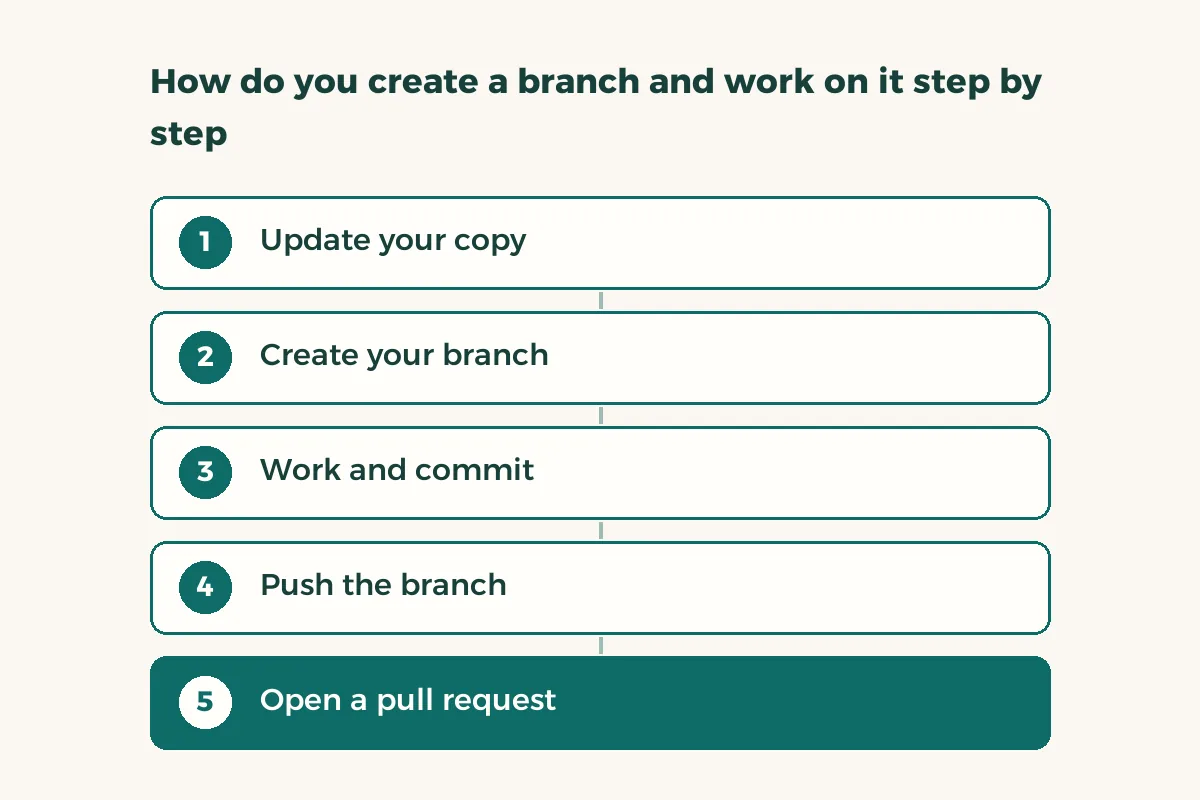
These commands are a worked example. The branch names and messages are ours, so swap in whatever suits your project.
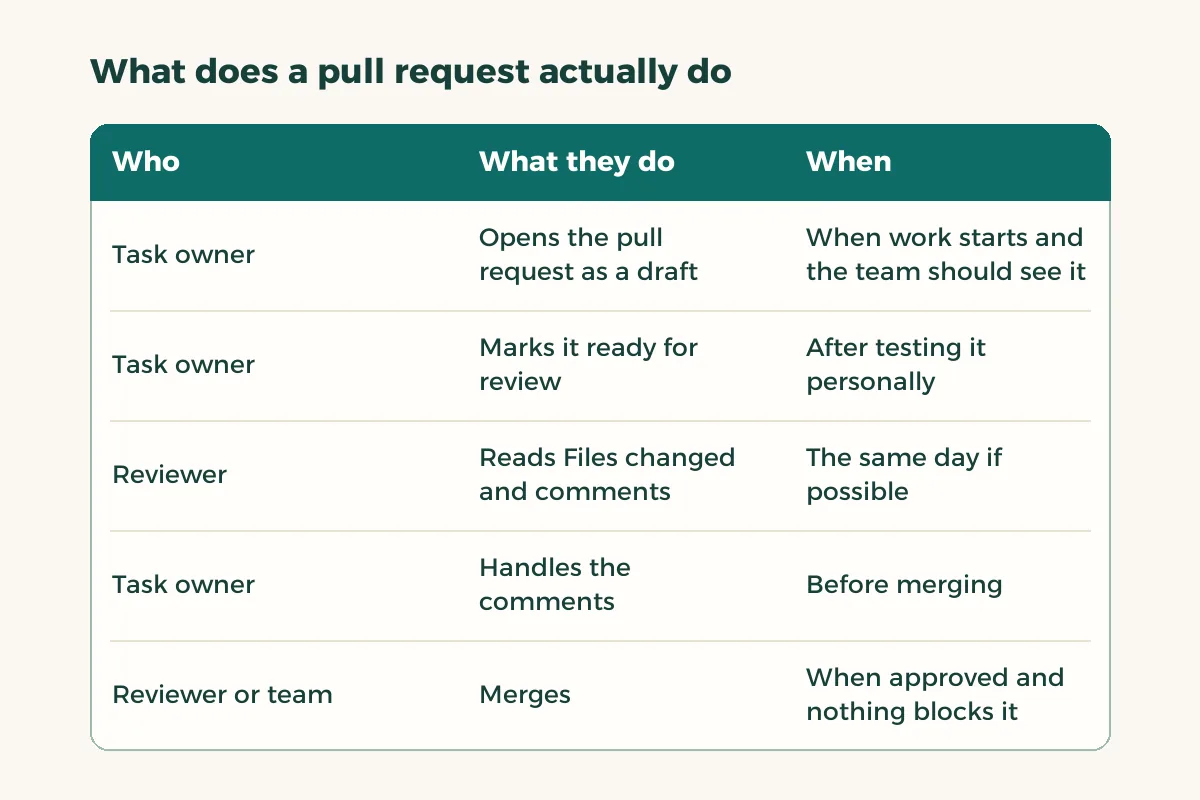
What does a pull request actually do?
GitHub’s documentation defines a pull request as a proposal to merge changes into a project and as its main collaboration feature, because it lets people discuss and review changes before they reach the main codebase.2 Each request has tabs: Conversation for the description and comments, Files changed for the diff reviewers read, and a merge status that lists what is blocking the merge.2 The documentation also notes that draft pull requests cannot be merged, and that drafts let teammates see progress before you ask for review.2
| Who | What they do | When |
|---|---|---|
| Task owner | Opens the pull request as a draft | When work starts and the team should see it |
| Task owner | Marks it ready for review | After testing it personally |
| Reviewer | Reads Files changed and comments | The same day if possible |
| Task owner | Handles the comments | Before merging |
| Reviewer or team | Merges | When approved and nothing blocks it |
How do you review a teammate’s work?
A review is not a trial. Read the changed files and answer four questions: does it work, will I understand it in a month, did it change anything outside its task, does it break something I wrote? Comment in specific sentences: “this function repeats in another file” helps more than “unclear.” Note who approved, because some courses ask the team to show how the work was divided, and the pull request history gives you that evidence at no extra cost.
What do you do when there is a merge conflict?
A conflict happens when two people edit the same line. Do not panic: it means Git declined to guess on your behalf. Merge main into your branch first, open the file, and you will find both versions between conflict markers. Read them with the teammate who made the other change, keep what is right from each, delete the markers, then commit and push. Resolve it on your branch, not on main, so main keeps working.
- Bring main into your branch
git switch login-page, then git merge main.
- Open the conflicting file
Look for the markers <<<<<<<, ======= and >>>>>>> and decide what stays.
- Combine and test
Remove the markers and run the project to be sure it works.
- Commit and push
git add, git commit, git push.
How do you use GitHub for a graduation project?
A week before the deadline agree a freeze: nothing merges except fixes. Then run the project from a fresh download of the repository, not from one member’s machine, which exposes files you forgot to push. Ask your supervisor whether they want a repository link or a zip file, since that varies by course and we give no general rule. If design files and the written report sit beside the code, see capstone version control in Drive.
To start with a simple language, take Python and practise this whole route on a small project of three files before you try it on your graduation project.
Whenever you doubt where a project stands, run git status to see which branch you are on and what is not yet committed, then git log --oneline to see the latest commits. Neither command changes anything, so use them freely before every step.