By the tiswa editorial team, from the official sources listed at the end of this guide. How we write our guides
A student in Taif saved the calendar link on his phone two semesters ago. In the third semester he opened it and got a dead page, decided the university had removed the calendar, and took the withdrawal date from a friend. The university had removed nothing; the old link had simply moved. The case is illustrative, but it shows why a careful student starts from the main page and not from a saved link.
Where do you find the Taif University academic calendar?
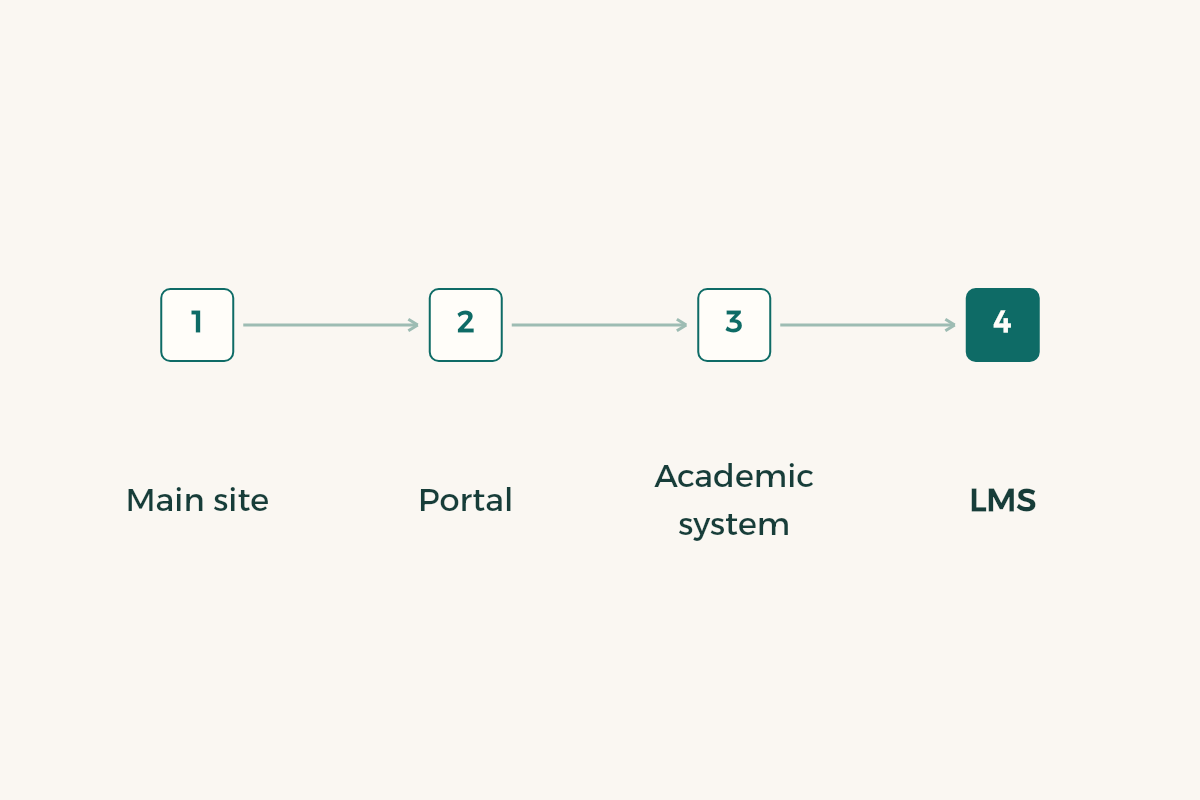
The university’s main page shows a link to the university calendar among its academic services, next to links to the academic system, the university portal, the admission portal and the learning management system.1 Deeper addresses change. So open the main site and go down from there, rather than stand at a link that has expired. Graduate studies keeps its own calendar page, so do not open the undergraduate one if you are on a master’s programme.
What does each Taif University portal do?
The university portal, called Edugate, is a sign-in page for the university’s online services. It covers applying for undergraduate, diploma and graduate admission, viewing uploaded documents, visiting-student and transfer requests, and checking graduation certificates and official documents.2 So it serves admission, transfer and document checks. Your timetable and course registration live in the academic system that the main page points to, and your course materials sit in the learning management system.
| Portal | What you do there | What not to expect |
|---|---|---|
| Main website | Reach the calendar and every portal | The procedures themselves are not done here |
| University portal | Apply, transfer, verify documents | It is not where you track term dates |
| Academic system | Your registration and timetable | It does not explain calendar dates |
| Learning system | Your courses and lecture material | You do not change registration there |
| Calendar page | The term’s general dates | It does not show your own case |
The table describes general jobs, not rules and not dates. Read what each page shows, and ask the admission and registration deanship about any procedure you cannot place.
How do you track drop, withdrawal and exam dates?
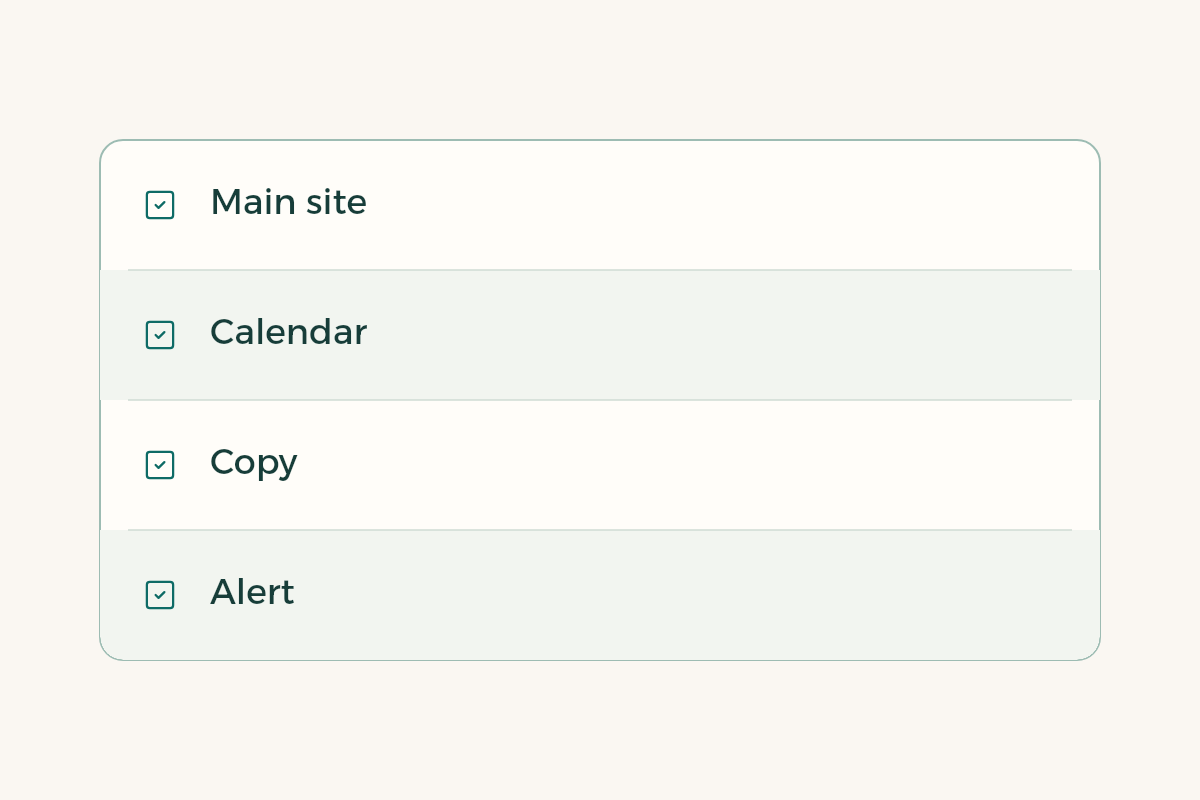
- Open the main site, not the saved link
Then go down to the university calendar page and check the term it shows.
- Decide what concerns you
Dropping a course, withdrawing, postponing, or the start of exams; three or four items are enough.
- Copy each date with the page name
Save it in your phone calendar and note where you found it.
- Set the alert two days ahead
An advisor’s signature or a reply from your college takes time.
- Open the academic system and check your timetable
Compare the registered courses with the ones you actually attend.
- Reopen the page mid-semester
An item may change, and the newest version is the one that counts.
If you find no item called add and drop, do not assume it is closed. Write a specific question naming the term and the course to the admission and registration deanship, and keep the reply.
Can you skip your advisor once you have read the calendar?
No. The calendar gives the general date, while your academic decision depends on your plan and load, which your advisor knows. Before you drop or withdraw, write three numbers: your hours now, your hours afterwards and the minimum your plan needs. To compare the two actions read the guides to drop and add and semester withdrawal, and to see the effect on your average use the guide to GPA calculation.
Check prerequisites before any drop, because a course you remove today may be the gate to next semester’s course. The guide to reading your degree plan shows how to see that at a glance.
How do you prepare for Taif University final exams before the timetable is out?
The calendar gives the start of the exam period, and your college issues your course timetable after that. Do not wait for it. Count two weeks back from the start of the period; that is day zero for revision. The guide to final exam revision shows how to share the two weeks across your courses, and the guide to midterm exams covers what comes before.
If you travel home to Jeddah or Riyadh during breaks, put the holiday items in your calendar too, and book only after you know the last teaching day from the official page. In the week before the period, open the academic system and confirm that every course you attend is registered in your name. A course missing from your record is not fixed by an apology after the exam. Avoid the usual mistake of trusting a friend’s memory of the dates, unless the friend gives you the link.
Does the calendar change after it is published?
The university can amend or postpone an item and announces it on its site. If a change reaches you in a chat, check the official page first, then adjust your alert and send classmates the link rather than a picture. The Ministry of Education oversees higher education in the Kingdom, but your dates are set by your university.3 If circumstances force a request after a window closes, write to your advisor early with proof. For a summer term read the summer semester guide, since its items differ from a regular semester.
One last illustrative case: a student set three alerts from the page, reopened it mid-semester and found one item postponed. She changed the alert in a minute and sent classmates the link. That small habit costs a minute and saves a week of worry when dates move.