By the tiswa editorial team, from the official sources listed at the end of this guide. How we write our guides
Protecting your university accounts matters more than you might think. Your university email opens Blackboard, the academic portal and free software, and is sometimes used to recover other accounts. If it is taken over, a student can lose assignments, have scam messages sent to classmates in their name, or have accounts opened in their name. The good news is that three simple habits stop most takeovers: two-step verification, a different password for each account, and never giving a code to anyone.
Which accounts matter most?
| Account | Why it matters | Priority |
|---|---|---|
| University email | Opens Blackboard, the portal and free software | Very high |
| Personal email | Most of your other accounts recover through it | Very high |
| Banking app | Your money and stipend | Very high |
| Nafath | Proves your identity to government services and banks | Very high |
| Social accounts | Attackers use them to trick your friends | High |
| Subscriptions and shops | Sometimes hold your card | Medium |

Habit one: two-step verification
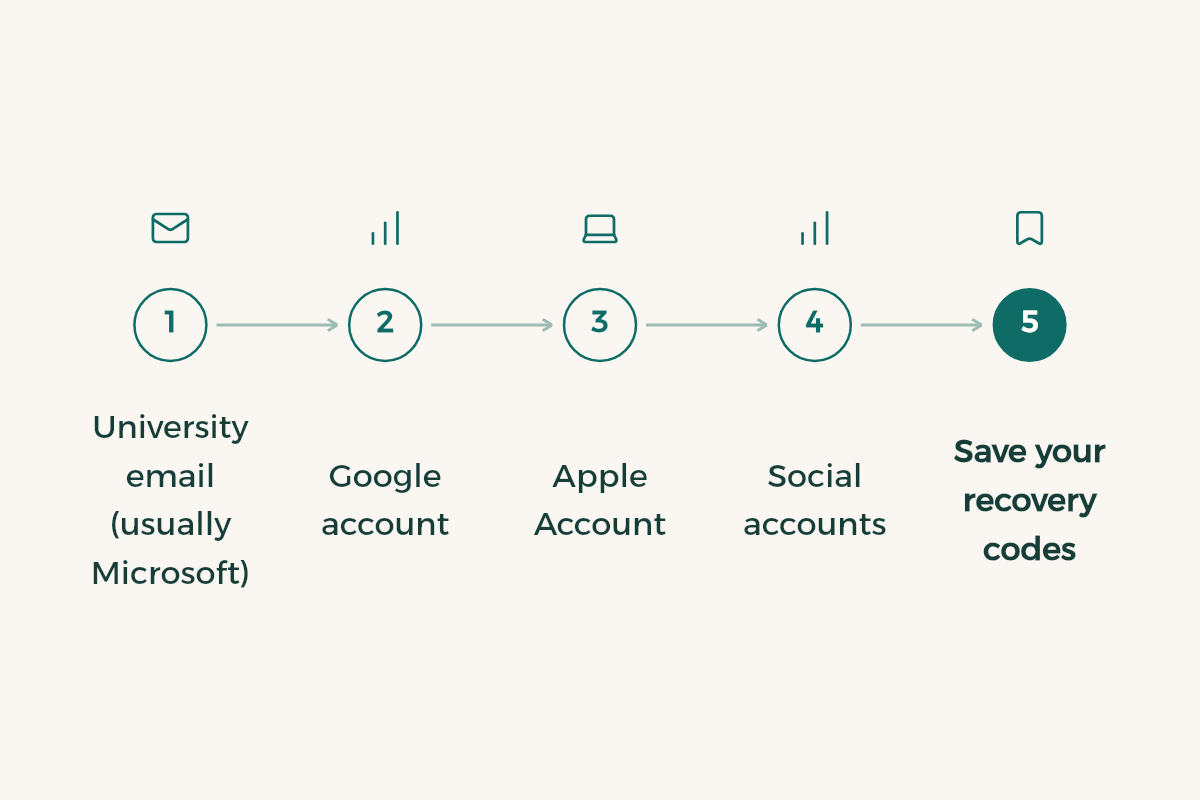
Two-step verification means a password alone is not enough to sign in: an attacker also needs your phone or authenticator app. Turn it on for every account that supports it, starting with the most important:
- University email (usually Microsoft)
Most universities use Microsoft accounts, and your university may enforce verification itself. For a personal account follow Microsoft's two-step verification guide, and use an authenticator app rather than texts where you can.
- Google account
Turn on Google 2-Step Verification from your account's security settings.
- Apple Account
Make sure two-factor authentication is on for your Apple Account.
- Social accounts
All the big apps support two-step verification in their security or privacy settings.
- Save your recovery codes
Every service gives you backup codes. Keep them somewhere safe off your phone, because you will need them if you lose it.
Habit two: a different password for every account
The most dangerous mistake is reusing one password everywhere. If it leaks from one weak site, attackers try it on your email and bank. The answer is not memorising twenty passwords but using a password manager: iPhone has the Passwords app, and Android and Chrome have Google Password Manager. A manager creates a strong password for each account, saves it and fills it in for you.
- The one master password you remember: a long phrase of several words, not your name or birthday.
- Do not keep passwords in a plain note or a screenshot in your photos.
- Check whether your email has appeared in a known breach on Have I Been Pwned, and change the password for any account that shows up.
Habit three: no code for anyone
Most account takeovers do not come from genius hackers breaking systems; they come from someone persuading you to hand over a code. One-time codes, Nafath numbers, passwords: nobody has the right to ask for them, not the university, not the bank, not tech support. The National Cybersecurity Authority publishes awareness advice on its site, and reminds people that official government websites end in gov.sa.
How to spot a phishing message
| Sign | Example |
|---|---|
| Urgency and threats | "Your university account will be suspended within 24 hours" |
| A link that does not match the sender | A link that looks like the university site but has an extra letter or a different domain |
| Asking for a code or password | "Send us the code you received to confirm your identity" |
| An offer too good to be true | "Extra stipend for students, enter your bank details here" |
| A message from a friend that sounds off | "Can you send me the code you got by mistake?" |
If you doubt a message from your university, do not click the link. Open the portal or Blackboard yourself from your browser or the official app. Blackboard is explained in the Blackboard guide.
Campus and lab computers
- Never save a password in the browser of a shared computer; use a private window.
- Sign out of every account before you leave, not just close the browser.
- Do not leave a USB stick with personal files in the lab.
- On public Wi-Fi, only use your bank through its official app.
If your account is hacked
- Change the password now
From a device you trust, and sign out of all devices in the security settings.
- Turn on two-step verification
If it was off, and check recovery options, phone number and backup email.
- Report it
University IT support for university email, and your bank straight away for a money account.
- Warn your friends
If messages went out in your name, tell them not to click any link in them.
- Change reused passwords
On every other account where you used the same password.
An AI prompt to review your account security
I am a university student with these accounts: [university email, personal email, bank, Nafath, social accounts, shops].
Do not ask me for any password or code.
1) Rank my accounts by how important they are to protect.
2) Give me a checklist for each: two-step verification, recovery options, signed-in devices.
3) Make a one-week plan to secure one or two accounts a day.
Nafath and approval requests in particular are covered in Nafath and Tawakkalna for students, and what your student account unlocks is in university email benefits.
A 20-minute security review
- Personal and university email
Turn on two-step verification and check that your recovery phone and email are current. Whoever owns your email can usually reset your other passwords.
- Apple or Google account
It holds your photos, backups and saved passwords, so treat it as the most important account after email.
- Social accounts
Turn on two-step verification in WhatsApp, Snapchat and Instagram; stolen accounts are often used to trick your friends.
- Open sessions
In each important account, review signed-in devices and sign out of any you do not recognise.
For how genuine Nafath requests work, read Nafath and Tawakkalna for students; to protect your bank login, see opening a student bank account.