By the tiswa editorial team, from the official sources listed at the end of this guide. How we write our guides
The assignment arrives: a group project for five people, due in six weeks. At the first meeting everyone is keen and a WhatsApp group appears. Two weeks later somebody types “where are we?” and nobody answers clearly. The team is not lazy. The tasks were sentences in a chat, and sentences in a chat sink.
What is the best project management app for students on a team?
Less than you expect. It needs one place where each member sees what is asked of them, what is done and what is waiting. Trello explains the idea this way: a board holds information, lists on the board stand for stages of progress, each list holds cards that are the smallest unit of a task, and you drag cards between lists to show progress.1 That structure is the same in most board tools, whether you use Trello or Microsoft Planner, which Microsoft’s support site presents as a tool for building plans.2
So do not start by comparing fifty features. Start with these questions: can each of us open it without explanation? Does it work on a phone? Can we put one person and one deadline on every card? Check the last one in the tool you choose before you begin, and do not assume it.
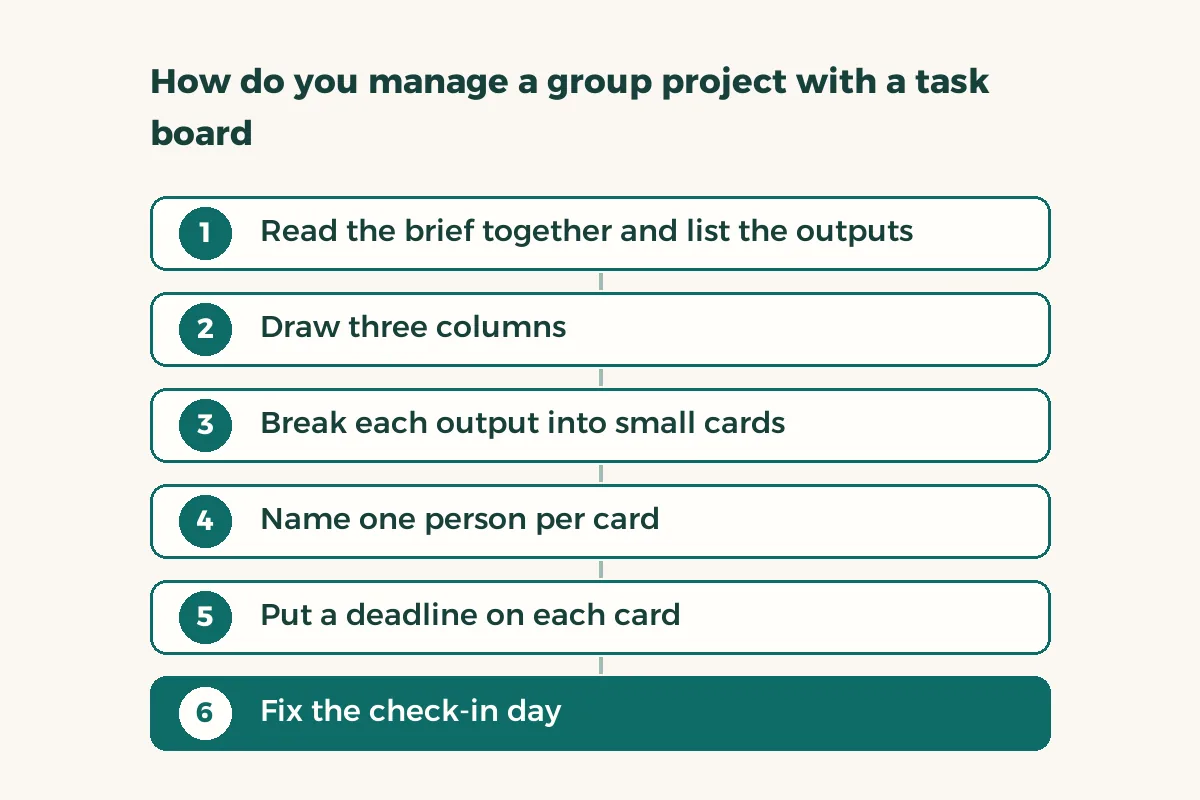
How do you manage a group project with a task board?
The common mistake is a single card called “the presentation”. That is not a task, it is a small project. A good task takes a day or two and ends in something you can point at. The steps below are an example of the method, not an official template:
- Read the brief together and list the outputs
A report, a presentation, an appendix, and the format requirements. Ask your instructor to clarify anything vague now, before you build on it.
- Draw three columns
To do, doing, done. Add a fourth for review only if you truly need it.
- Break each output into small cards
For example: gather three sources, write the introduction, draw the first table. Each card is a tangible result.
- Name one person per card
Do not put two names. Two names means one is waiting for the other.
- Put a deadline on each card
A date several days before the final hand-in, so there is room for review.
- Fix the check-in day
Ten minutes on the same day each week to move cards and say what is blocking you.
What does one week look like in a project like this?
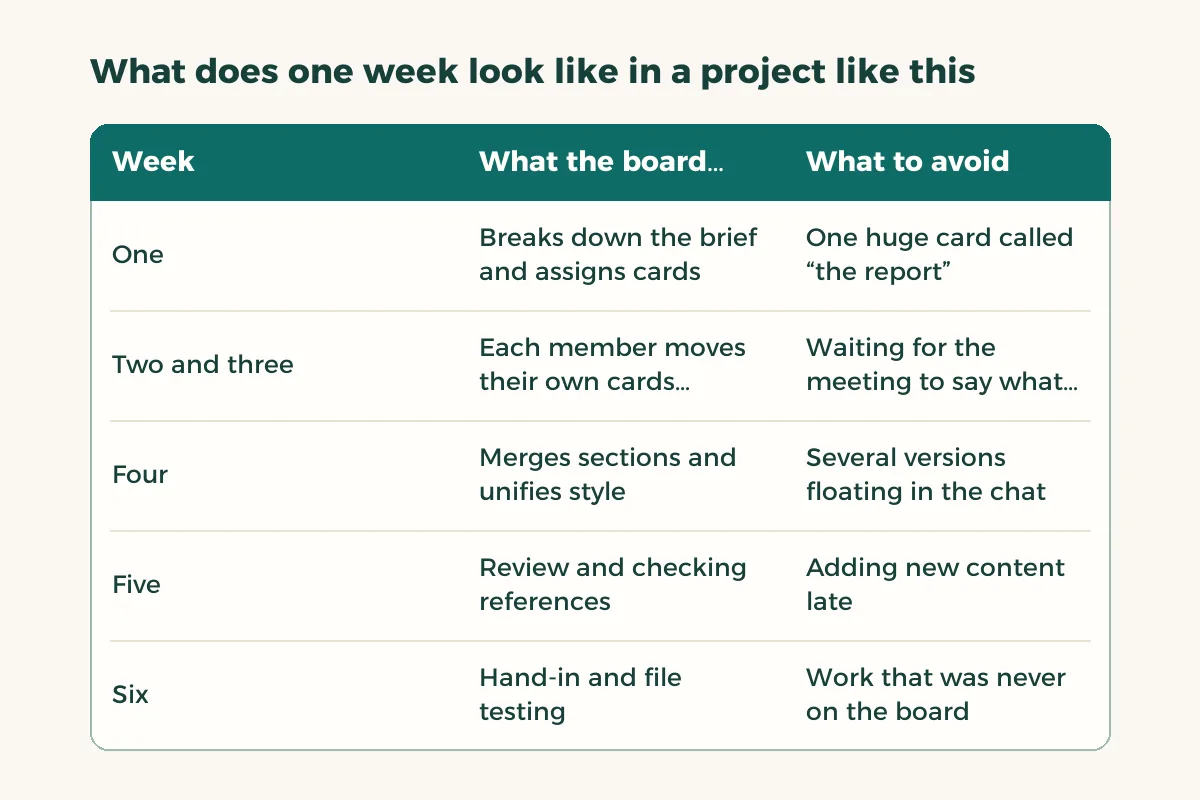
An example, for illustration only, for a team of five writing a report and a presentation. Week one: read the brief, break it down and assign roles, with about thirty cards on the board as the result. Weeks two and three: gather sources and write sections, and each member moves their own cards. Week four: merge sections into one file and name one person to unify the style. Week five: presentation and review. Week six: two days for hand-in only, with no new tasks in them.
| Week | What the board does | What to avoid |
|---|---|---|
| One | Breaks down the brief and assigns cards | One huge card called “the report” |
| Two and three | Each member moves their own cards weekly | Waiting for the meeting to say what you finished |
| Four | Merges sections and unifies style | Several versions floating in the chat |
| Five | Review and checking references | Adding new content late |
| Six | Hand-in and file testing | Work that was never on the board |
How does a group choose between Trello, Planner and other tools?
Sit down for ten minutes and test it on a past assignment or a made-up one. Create a board with five cards, name people, set deadlines, then open it on a phone. The tool your slowest member manages is the right tool, even if it has fewer features than the others. Check one more thing: does everyone need a special account, or one from the university? If a tool needs a work or school account that some of you lack, choose another.
Think too about life after the project. Will you need the board after hand-in? Probably not, so do not pay for a long plan. If you will export any data, take a copy before closing the account, and keep personal details the team does not need, such as ID numbers or passwords, off the board.
What do you do when a member does not finish their task?
Do not start with blame. Ask at the weekly check-in: what is blocking you? Much lateness comes from a vague task, not carelessness. If it continues, split the card into smaller ones or move some load, and record that on the board. If it keeps happening and affects the grade, tell the instructor early, with the task record to show. Study group rules helps separate shared work from sharing answers.
Where do you keep the files and drafts?
The board is for tasks, not files. Agree on a single place for files and do not leave copies in the chat. If you write in a shared document, read version control for a group paper. If your university uses Teams, see Teams for students. And if you prefer Notion, we have a Notion project board.
Finally, fit the team’s time to your timetables: a weekly study plan for group projects helps you find shared hours that hold a ten-minute check-in.