By the tiswa editorial team, from the official sources listed at the end of this guide. How we write our guides
Apple says iPhone works best at ambient temperatures between 0 and 35 degrees Celsius.6 In Riyadh or Al-Ahsa, summer passes that before noon, and a phone on a car dashboard runs far hotter. That is one cause of a slow phone, and it has a fix. The others are in Settings.
How do you speed up an iPhone from Settings?
Seven steps, quickest first, about 20 minutes in all. Before you start, have your charger, Wi-Fi, a recent backup and your Apple Account password ready.
- Restart the phone
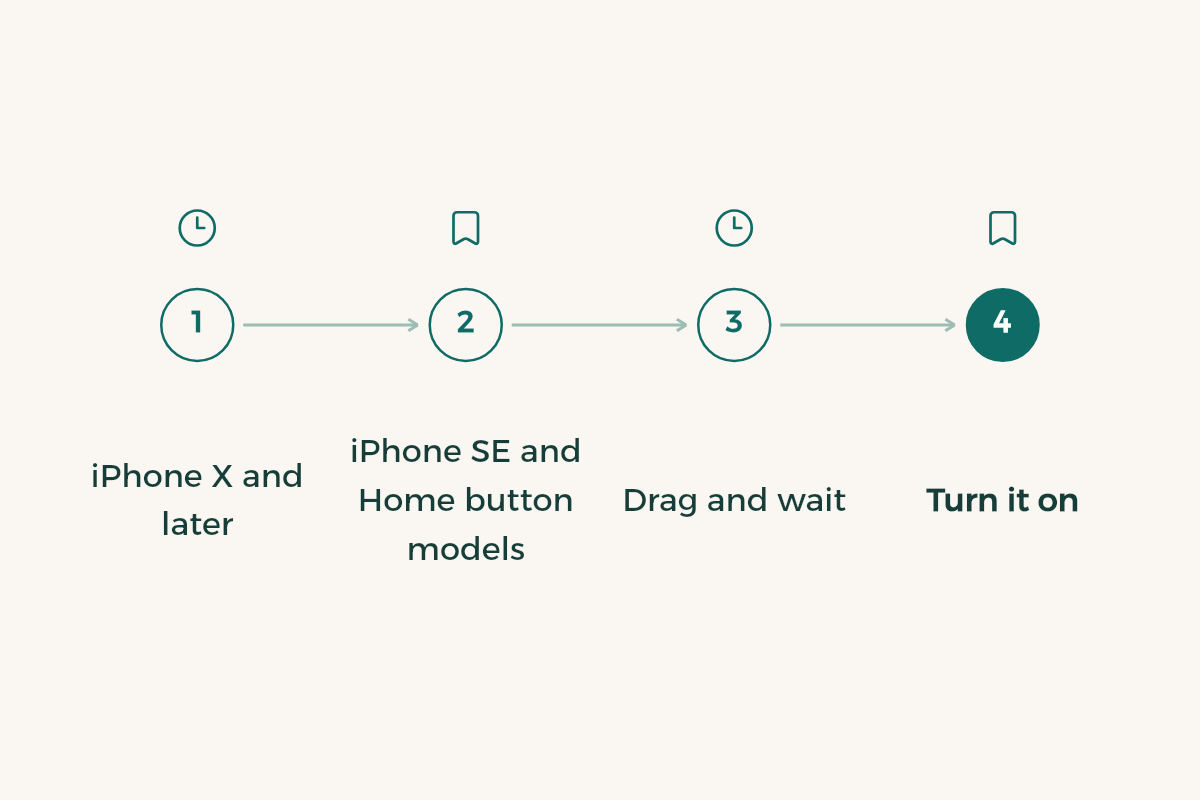
Press and hold either volume button and the side button until the power-off slider appears, drag it, then hold the side button until you see the Apple logo.1 On iPhone SE and Home button models, the side button alone brings up the slider.
- Update iOS
Open Settings > General > Software Update and install what is waiting. Plug in, join Wi-Fi and back up first.2
- Check storage
Open Settings > General > iPhone Storage. Available space is at the top, and every app and its size is listed below.3
- Offload apps you do not use
Pick the app and tap Offload App. It frees the app's storage but keeps its documents and data, and one tap on the icon brings it back.3 To do it automatically, go to Settings > Apps > App Store and turn on Offload Unused Apps.3
- Trim Background App Refresh
Open Settings > General > Background App Refresh and turn it off for apps that do not need it, or limit it to Wi-Fi.4
- Check battery health
Open Settings > Battery > Battery Health and read Peak Performance Capability. It tells you whether performance management is on.5
- Keep the phone out of the heat
Do not leave it in the car or the sun, and do not charge it while hot. Above 35 degrees, battery capacity can be permanently reduced.6
Restart once a week, say every Thursday before the weekend, and check storage and updates at the start of each month.
Do booster or cleaner apps speed up an iPhone?
No. Everything they offer is already in Settings: storage under iPhone Storage, background refresh under General, battery health under Battery.345 Cleaner and booster apps ask for access to your photos and files to do what the phone already does, and some show more ads than they clean.
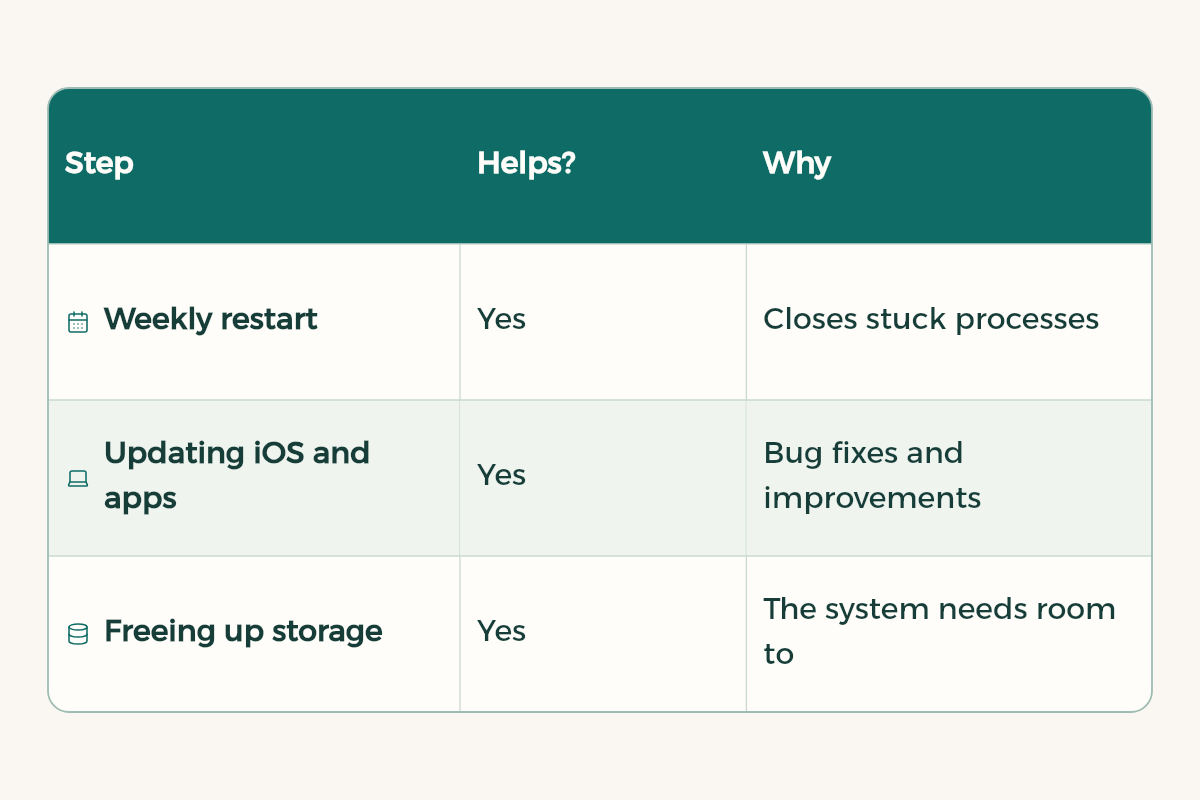
| What you try | Does it speed up the phone? | Why |
|---|---|---|
| A weekly restart | Yes | The system starts fresh |
| Updating iOS and apps | Yes | Fixes and improvements from Apple and developers |
| Freeing up storage | Yes | iOS needs room to run and install updates |
| Replacing a degraded battery | Yes | Restores full performance and ends performance management5 |
| Booster apps | No | Their tools are already in Settings |
| Force closing every app all day | No | Reopening them from scratch takes longer |
iPhone battery tricks: is the battery slowing your phone?
On a phone more than two years old, often yes. An aged battery loses its ability to deliver peak power, and the phone shuts down unexpectedly to protect its components. After the first shutdown like that, iOS turns on performance management, a feature that has existed since iOS 11.3.5
You notice it in specific places: apps launch more slowly, scrolling is less smooth, the backlight dims and speaker volume drops.5 Calls, photos, GPS and Apple Pay are generally unaffected.5 You can switch performance management off in Battery Health, but you cannot switch it back on yourself; the phone turns it on again after another unexpected shutdown.5 The real fix is a new battery, which restores full performance.5 More in iPhone battery health tips.
Why does an iPhone slow down in Saudi summer heat?
Because heat damages the battery, and the phone protects itself. Apple says devices work best between 0 and 35 degrees Celsius, with 16 to 22 degrees as the ideal zone.6 Above 35 degrees battery capacity can be permanently reduced, charging in the heat does more damage, and the phone may limit charging to 80% when the battery gets too warm.6
A student who leaves the phone in a car outside the faculty in June, or charges it in the sun at the university stadium, loses battery capacity for good. Cold is different: its effect is temporary, and the battery recovers once it warms up.6
Still slow after these steps? Fixes to try next
Rule out causes outside the phone first. Then work through the rest:
- Try the same app on mobile data instead of dorm or library Wi-Fi. Sometimes the network is slow, not the phone.
- A yellow battery icon means Low Power Mode is on. It dims the display, reduces animations and optimises performance to save battery,6 so the phone feels slower. Turn it off in Settings > Battery.
- If an update is not available wirelessly, install it from a computer as Apple's page explains.2
- If Battery Health says performance management is applied, a replacement from Apple or an authorised service provider is the fix.5
- Only one app freezes? Update it in the App Store, then delete and reinstall it.
iPhone storage tricks that actually free space
Start with the largest apps in iPhone Storage, not the smallest. Apple suggests backing up photos and videos to iCloud before removing them, deleting message attachments you no longer need, and removing downloaded videos you have already watched.3 For a student, that last one is usually recorded lectures from last semester. The full method is in free up iPhone storage.
Should you delay an update because it might slow the phone?
No. An update fixes security holes before it does anything for speed, and Saudi Arabia's National Cybersecurity Authority runs a whole awareness campaign on installing updates for phones, apps and smart watches.7 To make it painless, turn on automatic updates in Settings > General > Software Update, and the phone installs them overnight on Wi-Fi and the charger.2
When is a new iPhone the answer?
When your phone no longer gets the latest iOS, stays slow after a battery replacement, or the apps your major needs ask for more than it can give. Until then, the seven steps come first. If you do buy, compare options in best phone for students and move your files safely with back up your notes before a new device.
What mistakes make an iPhone slower?
- Letting storage fill to the last gigabyte.
- Installing a booster app that wants access to your photos.
- Putting off every update for months.
- Charging in the sun or in a parked car in summer.
- Turning off performance management to get the speed back, then having the phone shut down in the middle of an online exam.
To save time on any iPhone, try iPhone shortcuts for students, and move photos and files to iCloud for students so storage stays light.