By the tiswa editorial team, from the official sources listed at the end of this guide. How we write our guides
Fifty files in one notebook, each up to 500,000 words.2 That is a full course of slides, the set textbook and your own notes in one place you can question, with a numbered citation next to every sentence that takes you to its spot in the file. It is why NotebookLM behaves differently from a general chatbot: it answers from your lectures, not from the internet.
Is Gemini Notebook the same as NotebookLM?
Yes. Google's help pages now call it Gemini Notebook, while students still search for NotebookLM. The idea has not changed: upload your sources, ask, and get answers with citations to the source they came from.1 It is available in Saudi Arabia in the browser for users above the age of consent, with an age check in your Google Account.1
What can I upload?
Almost anything your instructor sends. Google's sources page lists:2
- PDF, Word, PowerPoint, txt, Markdown, CSV and ePub files.
- Google Docs, Google Slides up to 100 slides, and Google Sheets.
- Website links and public YouTube video links.
- Audio such as MP3 or WAV, images, and pasted text.
Files from Google Drive sync automatically.2 Edit your summary in Docs and the notebook reads the new version, no re-upload needed. Plenty of students miss this and upload the same file every week.
How to make a study guide with NotebookLM for a whole course
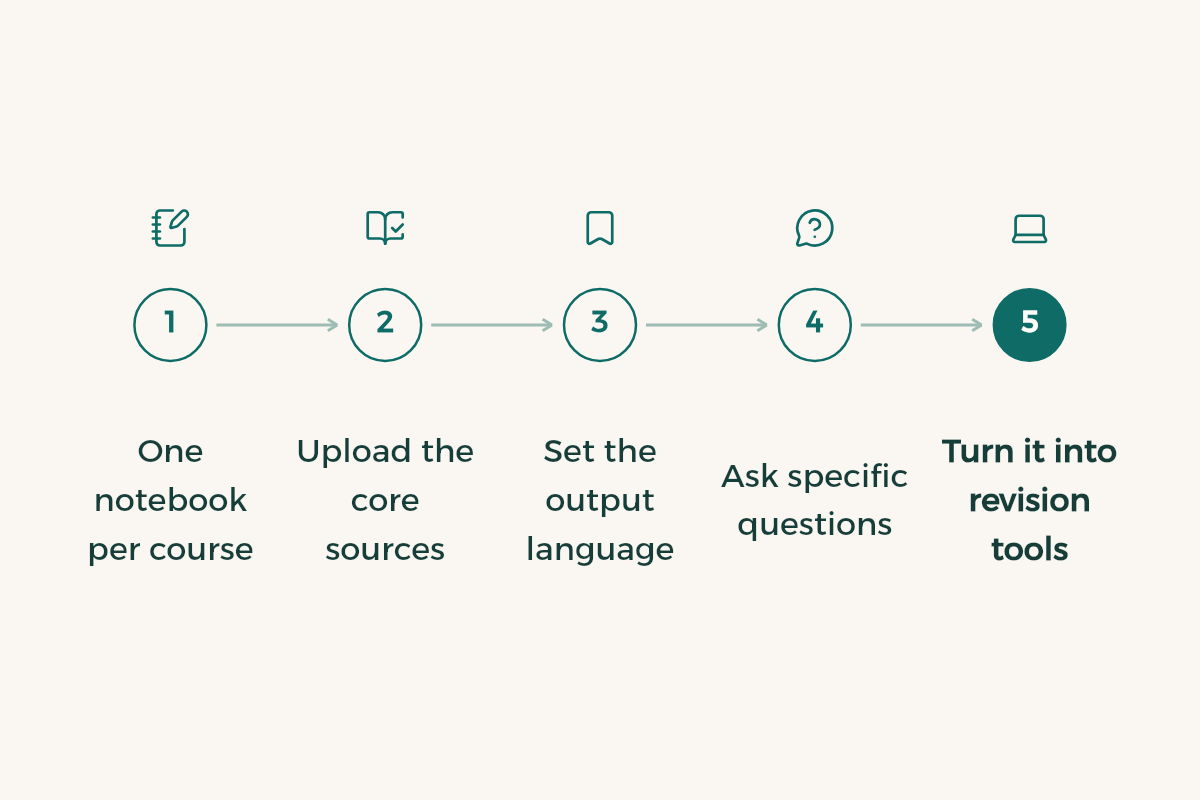
- Create a notebook named after the course
Say "CHEM 101". Never mix two courses in one notebook.
- Upload the instructor's slides first
Then the set textbook chapters, then your notes. That order of trust stops your own mistakes leaking into the answers.
- Name the file in your question
Instead of "Summarise this", ask "What are the key points about cell division in the Lecture 3 slides?"
- Open the Studio panel
Pick an audio overview, flashcards or a quiz, depending on how many days you have left.
- Check the citations
Click the citation number and match the sentence to the original slide.
Can it make an audio overview in Arabic?
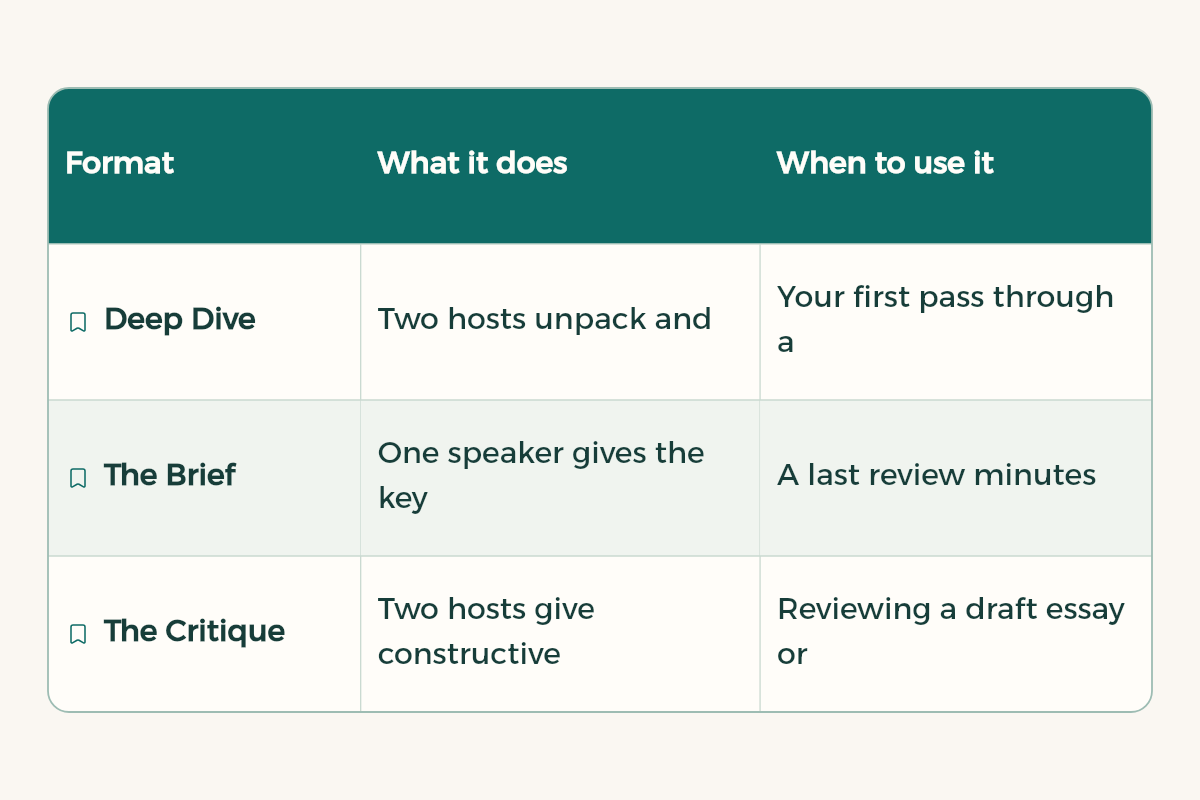
Yes. An Audio Overview is an AI-generated conversation about the main points in your sources, available in more than 80 languages, including Modern Standard Arabic and Colloquial Egyptian Arabic.3 In the Studio panel you pick one of four formats:3
| Format | What it does | When to pick it |
|---|---|---|
| Deep Dive | Two hosts unpack and connect the topics in depth | Your first pass through a new chapter |
| The Brief | One speaker gives the key points in under two minutes | Outside the exam hall |
| The Critique | Two hosts give constructive feedback on the material | Reviewing a draft report or essay |
| The Debate | A structured argument between two views | Topics with competing positions |
Google warns that Audio Overviews are AI-generated and can contain inaccuracies.3 Play one on the drive to campus, but do not learn a figure from it until you have seen it on the slide.
Focus only on [chapter or topic].
I am a year [year] [major] student with an exam in [number] days.
Define each technical term in plain words, mention the examples that recur in the lectures, and finish with the five points most likely to be examined.
How do I make flashcards and quizzes from a lecture?
In the Studio panel, choose Flashcards or Quizzes, set the difficulty and describe what you want.4 Then click Explain on any card for an explanation, mark what you knew and what you missed, and retake only the missed ones. Flashcards download as a CSV file,4 which moves them into whichever flashcard app you already use.
Write 15 multiple-choice questions on [topic] at final-exam level.
Make half of them about understanding and application rather than recall, and use the same terms as the slides.
Is NotebookLM free for students, and what are the limits?
Yes, it is free with a Google account. The limits from Google's plans page:5
| Plan | Notebooks | Sources per notebook | Usage limits |
|---|---|---|---|
| No plan | 100 | 50 | Standard |
| Google AI Plus | 200 | 100 | Twice standard |
| Google AI Pro | 500 | 300 | Four times standard |
Limits are compute-based and refresh every 5 hours until you reach your weekly cap.6 Students in Saudi Arabia have an easy upgrade: an initiative between the Ministry of Communications and Information Technology and Google gives Saudi university students aged 18 and over a year of Google AI Plus free, with sign-up open until the end of 2026.8 The full terms are in Gemini free for students.
Can I sign in with my university email?
Usually, if your university runs Google Workspace for Education. Google says Gemini Notebook is now a core service there, like Gmail.7 The free Google AI Plus offer, though, needs a personal Gmail account, so keep the two apart. Universities that run on Microsoft 365, and many in the Kingdom do, will not unlock anything here with a university address.
How do I revise a whole course in a week with one notebook?
Give each of seven days one job instead of firing random questions. This is the plan we suggest for a course with a cumulative final:
| Day | In the notebook | On your own |
|---|---|---|
| 1 | Upload slides and notes, ask for a list of main topics | Check it against the course outline for gaps |
| 2 | Ask for the two hardest topics explained, with citations | Open the source and confirm each line |
| 3 | Play the audio overview on the way to campus | Write three ideas you remember without replaying |
| 4 | Short quiz on the first chapters | Revise every miss from the textbook |
| 5 | Flashcards for the terms | Review them twice a day |
| 6 | Second quiz on the whole course | Answer without opening the sources |
| 7 | Ask only about what you got wrong | Sleep early |
If your notes are handwritten pages or photos of the whiteboard, turn them into a clean, searchable PDF first; the notebook only answers from what it can read, and a skewed photo gives thin answers. The method is in scan lecture notes app. Courses built on long calculations, like physics or statistics, get more from the notebook on concepts and definitions than on worked problems, so keep solving those by hand.
What do students get wrong with NotebookLM?
- Uploading files they have no right to share, such as a pirated textbook; Google's sources page says not to.2
- Memorising a definition from an answer without opening the citation.
- Loading a classmate's summary, errors and all, before the instructor's slides, so the notebook builds on it.
- Pasting output into graded work without reading the course policy; the rules are in AI and academic integrity.
How to make a presentation in NotebookLM
It builds a slide deck from your sources inside the notebook, a decent first draft for a group project. We compare it with other deck tools in AI presentation makers. To summarise one file quickly without a notebook, see AI PDF summaries.