By the tiswa editorial team, from the official sources listed at the end of this guide. How we write our guides
Learning JavaScript is the natural step after HTML and CSS, because it is the language that makes a web page interactive: a button that responds, a form that checks its data, a list that updates without a reload. The big advantage is that you can start right now in your browser with nothing to install. This guide gives you an eight-week plan, real code examples to try yourself, free official sources, and three small projects for your portfolio.
What is JavaScript and why learn it?
JavaScript is the programming language that runs inside every modern browser, and together with HTML and CSS it is the base of the web. HTML builds the content, CSS styles it and JavaScript makes it interactive. The Node.js runtime also lets it run outside the browser, so you can build servers and tools with it. One language opens both the front end and the back end.
| You want to | You need | After the basics |
|---|---|---|
| Build interactive websites | JavaScript with HTML and CSS | A UI library such as React |
| Build servers and APIs | JavaScript with Node.js | A server framework and databases |
| Build mobile apps | JavaScript basics first | An app framework that runs on JavaScript |
| Understand your graduation project code | The basics and code reading | The browser developer tools |

Start now in your browser
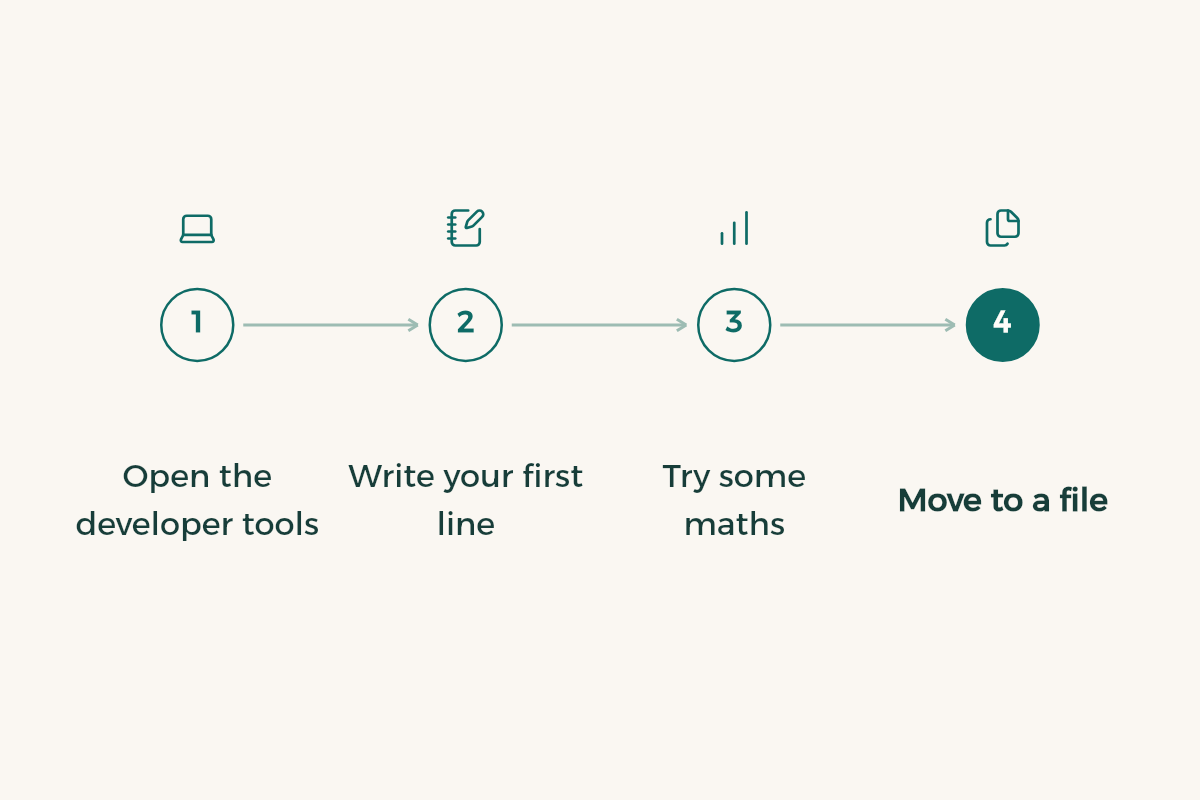
- Open the developer tools
In Chrome, Edge or Firefox on a computer, press F12 or right-click and choose Inspect, then open the Console tab.
- Write your first line
Type console.log("Hello") and press Enter. The word appears right below. That is your first program.
- Try some maths
Type 7 * 6 or 100 / 4. The console works as a calculator that speaks JavaScript.
- Move to a file
Once you write more than two lines, create index.html and app.js in one folder, link them with a script line as in the example below, and open the page in your browser.
The basics in examples
These are the key ideas of the first two weeks. Type every example yourself in the console or in app.js instead of copying it, because typing is what fixes the syntax in your memory:
const name = "Sara";
let gpa = 4.2;

if (gpa >= 4.5) {
  console.log(name + " has an excellent GPA");
} else if (gpa >= 3.75) {
  console.log(name + " has a very good GPA");
} else {
  console.log(name + " can raise her GPA");
}
Use const for values that do not change and let for values that will. Avoid var in new code. Note that == and === are different: the second compares both value and type, so use it every time.
function average(marks) {
  let total = 0;
  for (const mark of marks) {
    total += mark;
  }
  return total / marks.length;
}

const quizzes = [80, 92, 75, 88];
console.log(average(quizzes));

const passed = quizzes.filter(m => m >= 80);
console.log(passed);
The average function takes an array of marks and returns the mean. filter is one of the most important array methods, along with map and reduce. Learn them early because you will see them in all modern code.
Make the page interactive
This is where the fun starts. The browser represents the page as a tree of elements called the DOM, and JavaScript can read any element, change it and respond to clicks. Here is a complete study counter in two files:
<!DOCTYPE html>
<html lang="en">
<body>
  <h1>Study sessions: <span id="count">0</span></h1>
  <button id="add">Add a session</button>
  <script src="app.js"></script>
</body>
</html>
const countEl = document.querySelector("#count");
const button = document.querySelector("#add");
let count = 0;

button.addEventListener("click", () => {
  count++;
  countEl.textContent = count;
});
Open index.html in your browser and press the button. querySelector finds the element, addEventListener waits for the click and textContent changes the text. These three alone build dozens of small projects.
An eight-week plan
- Weeks 1 and 2: the basics
Variables, types, conditions, loops and functions, from the MDN JavaScript Guide. One hour a day, with five small exercises per session.
- Week 3: arrays and objects
Arrays and their methods map, filter and reduce, and objects to represent data such as a student with a name, a GPA and courses.
- Week 4: the DOM and events
Selecting and changing elements and responding to clicks and typing. Build project one: a to-do list that adds and removes items.
- Week 5: data and storage
Saving data in the browser with localStorage and converting it with JSON. Upgrade the to-do list so it survives closing the page.
- Week 6: fetching data
Use fetch with async and await to load data from a public API and display it. Project two: a page that shows live data from the internet.
- Week 7: Git and publishing
Learn Git, push your projects to GitHub and publish them free with GitHub Pages. Activate the GitHub Student Developer Pack with your university email.
- Week 8: a project of your choice
Project three solves a problem you have: a GPA calculator, a study timer or a short quiz for a course. Write a README that explains it.
Free official sources
- MDN Learn web development: a full curriculum from Mozilla that starts with HTML and CSS, then JavaScript, with exercises and assessments.
- MDN JavaScript Guide: the reference you will return to for every language question.
- Node.js Learn: for when you finish browser basics and want to run JavaScript on your computer or build a server.
- A good code editor. JetBrains tools are free for students, listed in free software for students.
Use AI as a tutor, not a writer
If you ask an AI assistant to write all the code, you learn nothing. Ask it to explain, question and review instead. Try these with ChatGPT or Claude:
You are my JavaScript tutor. I am a beginner and today I am learning [arrays / functions / the DOM]. Explain the idea in 5 short lines with one tiny example. Then give me 3 exercises, one at a time, from easy to harder. Do not show the solution until I send my code. When I send it, point out mistakes and ask me a question that leads me to the fix instead of rewriting it.
My JavaScript code gives this error: [paste error]. Here is the code: [paste code]. Explain in simple words what the error means and which line causes it. Give me a hint first, not the full fix.
Beginner mistakes
- Jumping to a framework like React before the basics, so everything feels like magic you cannot follow.
- Watching lessons without writing code. Every hour of watching needs at least an hour of typing.
- Ignoring error messages in the console. Always read them, because they name the file and line.
- Using == instead of ===, and var instead of let and const.
- Not publishing projects. A live project with a link helps you in co-op training and interviews far more than one on your laptop.
If you have not picked a direction in programming yet, start with how to learn programming from zero. Once you have projects, gather them on one page with how to build a portfolio, and if your projects need to store data, learn SQL.