By the tiswa editorial team, from the official sources listed at the end of this guide. How we write our guides
Claude AI for students starts free. Claude is made by Anthropic, and its free plan is open to everyone on the web, the desktop app and mobile. This guide covers what you can do without paying, how to use Projects so each course gets its own space, and when an upgrade is worth it.
What the free Claude plan includes
According to the official pricing page, the free plan includes:
- Chat on the web, the desktop app and mobile.
- Web search, file creation and running code.
- Memory across conversations, so you do not repeat your background every time.
- Connecting your apps and tools, and creating Artifacts (interactive outputs such as a table or a page).
- Voice mode, incognito chats and user preferences.
- Up to five projects.
The paid Pro plan adds more usage, unlimited projects, Research and more Claude models. The pricing page lists it at USD 20 a month, or USD 17 a month on the annual plan. Most students can start on the free plan.
Projects: one space per course
A Claude project is a self-contained workspace with its own chats and knowledge base. The official help page says you add two things to each project:
- Knowledge: documents, text or code that Claude uses as background in every chat inside the project, such as the syllabus and your lecture notes.
- Instructions: standing guidance for the project, such as a formal tone or answering from the point of view of a professor in your field.
Free users can create a maximum of five projects. That covers a full semester if you give each main course its own project.
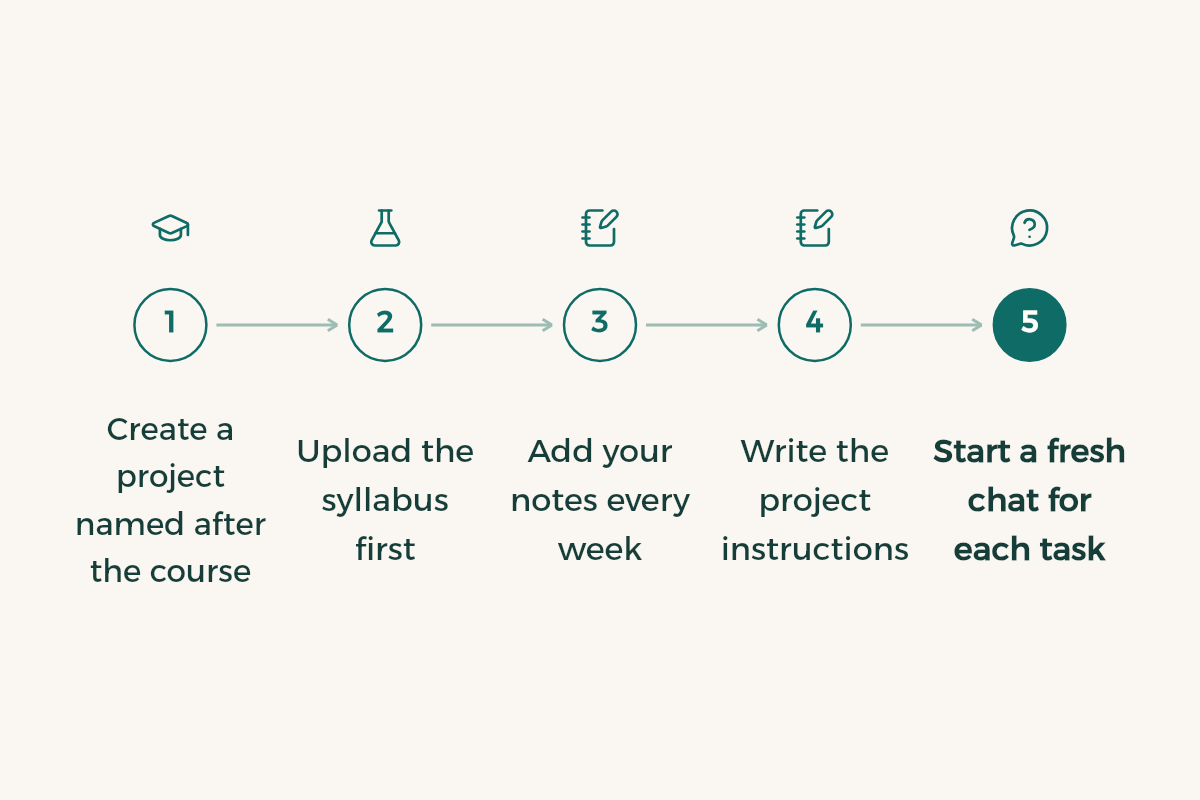
- Create a project named after the course
For example "Physiology 201". A clear name makes it easy to find in exam week.
- Upload the syllabus first
It lists the topics, readings and grading. Claude uses it to understand what matters in your course.
- Add your notes every week
Upload your summary or photos of the board after each lecture. The more knowledge the project holds, the closer the answers stay to your course.
- Write the project instructions
Start from the prompt below and adjust it to your major.
- Start a fresh chat for each task
One chat for review, one for practice problems, one for exam prep. They all share the same knowledge.
I am a university student in Saudi Arabia and this course is taught in [English/Arabic].
- Explain in plain English and give the Arabic term in brackets the first time a key term appears.
- Use the project files first, and tell me clearly when something comes from outside them.
- Do not hand me the final answer to exercises. Ask me a question that points me to the next step.
- End each explanation with one question that checks I understood.
Use Claude as a tutor, not a ghostwriter
Anthropic's higher education page describes learning mode as working like a good tutor: it asks questions that help you find the answers yourself. Learning mode is part of Claude for higher education, a plan that an institution takes out for its students and staff, not an individual student plan. You can still ask for the same style in any chat:
I want to understand [topic] from [file or chapter].
Do not explain everything at once. Start by asking what I already know, then explain one small part and ask me a question on it. If I get it wrong, show me where the mistake is without giving the full answer.
The same page suggests a way to improve essays: after each paragraph you write, ask Claude to analyse it for clarity, evidence quality and logic. You stay the writer, and Claude acts as a reviewer that points to weak spots.
Here is a paragraph from my essay on [topic]. Assess it on: 1) clarity, 2) evidence quality, 3) logic.
Do not rewrite it. Give me one specific note for each point and one question that helps me fix it myself.

[paste the paragraph]
How good is Claude in Arabic?
Anthropic's official documentation benchmarks Claude in several languages against English, and Arabic scores close to English. The same documentation gives three tips that help when you study in two languages:
- State the output language explicitly, for example "Reply in Modern Standard Arabic".
- Write Arabic in Arabic script, not transliterated in Latin letters.
- Give cultural context, such as mentioning that you study at a Saudi university when the topic depends on local rules or examples.
For rewording and polishing Arabic text, see AI paraphrasing in Arabic.
How Claude compares
Claude is strong at long-form writing, structuring ideas and working across many files inside one project. ChatGPT has study mode on every plan, and Gemini has a free year for students in Saudi Arabia. The full comparison is in ChatGPT vs Claude vs Gemini.
Example: set up a project for a course in ten minutes
Say you are taking statistics this term. Here is how to set up a tidy space you will use all term:
- Name the project after the course
Such as "Statistics 101", so chats do not mix across courses.
- Add the core files
The course outline, lecture slides your professor allows you to use, and your notes.
- Write project instructions
For example: "I am a second-year student. Explain in Arabic with English terms, and ask me before giving the solution."
- Start a chat per chapter
Chapter one, then chapter two, and so on, so each chat stays focused.
From then on, your questions build on your own course materials, not on general information that may differ from what your professor teaches.
I want to understand [topic] from the files in this project.
- Do not explain everything at once.
- Ask me one question at a time and wait for my answer.
- If I am wrong, give me a hint before the correct answer.
- At the end, summarise what I understood and what I need to review.
When to pick Claude and when to pick something else
It makes sense when your work is long and tied to files: a term paper, a whole course you want to review from its sources, or Arabic text you want reviewed paragraph by paragraph. For quick questions while studying, whatever tool you use daily is enough. The best approach is to test on your own course questions, as in the comparison of the three tools.








There is a wider list in AI tools for students and free software for university students.