By the tiswa editorial team, from the official sources listed at the end of this guide. How we write our guides
You type “presentation about artificial intelligence PDF” into a search box and download a file from a site you have never heard of. You open it and find generic slides, a statistic with no source and a logo from a company that has nothing to do with your course. If you hand it in like that, you are the one held to account. That is the gap between a file you take and a deck you build: the first looks fast and costs you a question from the lecturer that you cannot answer.
How do you build a ten-slide presentation about artificial intelligence?
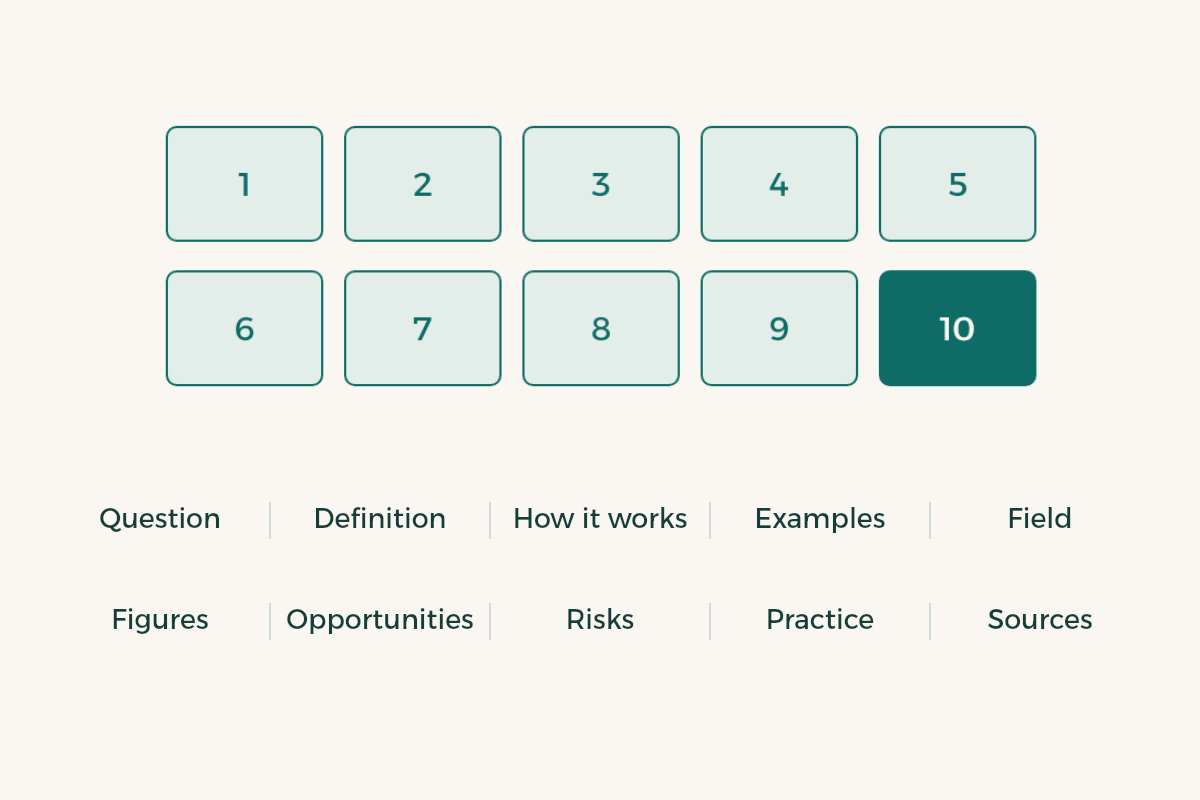
Start with one question to steer the whole deck. “What is AI?” is far too wide. “How can university students use AI tools honestly?” or “Where is AI used in healthcare in the Kingdom?” gives you a deck you can finish. Below is an outline for illustration; pick what serves your question.
| Slide | Content | What you need |
|---|---|---|
| 1 | Title and guiding question | One sentence |
| 2 | What AI is, in your words | A definition from an official source |
| 3 | How it works in brief | A simple diagram of your own |
| 4 | Examples your audience knows | Two examples from student life |
| 5 | Use in your field or major | A course example or local case |
| 6 | Figures and trends | One number from a report, with its edition year |
| 7 | Opportunities | Two points with a source |
| 8 | Risks and ethics | An official guidance document |
| 9 | What a student does responsibly | Your course policy |
| 10 | Conclusion and references | The source list |

Where do you get reliable definitions and figures on AI?
Look for bodies that publish open documents you can cite. UNESCO offers guidance on generative AI in education and research, which gives you solid material for the risks and ethics slide.1 Stanford’s Institute for Human-Centered AI publishes the AI Index every year, and that is where you take the broad trends and figures.2 For the local context, find the Saudi Data and AI Authority, SDAIA, on its official site.3 We do not copy a figure from these sources here, because figures change from one edition to the next. Open the latest edition yourself, copy the number from its page and write the edition year in your citation. For how to write the pointers, see how to cite sources in a research paper.
How do you export a PowerPoint to PDF properly?
- Review the original file
Read each slide once and check the Arabic fonts, text direction and image positions.
- Open the save menu
In PowerPoint choose File, then Export or Save As, and pick PDF. Microsoft documents the options, including saving as PDF and its settings.4
- Set the options
If the dialog offers options such as accessibility, read them before saving, and keep the defaults unless your course asks for something else.
- Open the resulting file
Confirm every slide appears, the Arabic has not flipped and any links you added work.
- Copy a paragraph from it
Select some text and paste it into Notepad. If it comes out readable, the file holds real text, not a picture.
- Name it clearly
Put the course and your name in the file name, like ai-presentation-yourname.pdf, and upload it to Blackboard or send it from your university email as your lecturer asks.
Should you use AI to design the deck itself?
You can use an AI tool for the outline, but keep the material from your own notes and sources. If your course policy permits it, mention the tool on the references slide. PowerPoint with AI walks through a complete example, and AI presentation makers compares tools. Do not forget the integrity side: read the AI and academic integrity rules before relying on any tool.
How do you make a deck easier to listen to than to read?
A slide with a full paragraph makes the audience read instead of listen. Give each slide one idea, a title that states the point and an image or diagram that supports it, then put the detail in the speaker notes. Try explaining each slide in two sentences without looking. If you need three, split it. For delivery see presentation tips, and for layout see PowerPoint design tips.
For the final setup, export a PDF for submission and keep the original file to present from PowerPoint, because transitions and animations do not run in a PDF. Bring a copy on a flash drive too.
What mistakes show up in AI presentations?
- Defining AI in general words that belong to no source.
- A statistic from a blog that does not say where the number came from.
- Generated images with no source and no alt text.
- So many slides that you rush the conclusion to fit your time.
- Submitting a file saved as a picture, so its text cannot be copied or read by a screen reader.
- Forgetting the course policy on tools.
If you will pay for a design tool or a subscription, check what is open to students first in the student discount index.