By the tiswa editorial team, from the official sources listed at the end of this guide. How we write our guides
Looking for AI that solves math? Today's tools can read a photo of a problem and return a full solution in seconds. Here is the catch: there is no AI in the exam hall. If you copy a solution you do not understand, you pass the homework and stumble on the final. The smart way is to use the tool as a tutor that explains the step where you got stuck, then solve the next problem yourself.
This guide explains which tool fits which kind of problem, how to photograph a problem properly, and how to check a solution, with ready prompts that turn the tool from an answer machine into a way to understand.
The tools and where each one helps
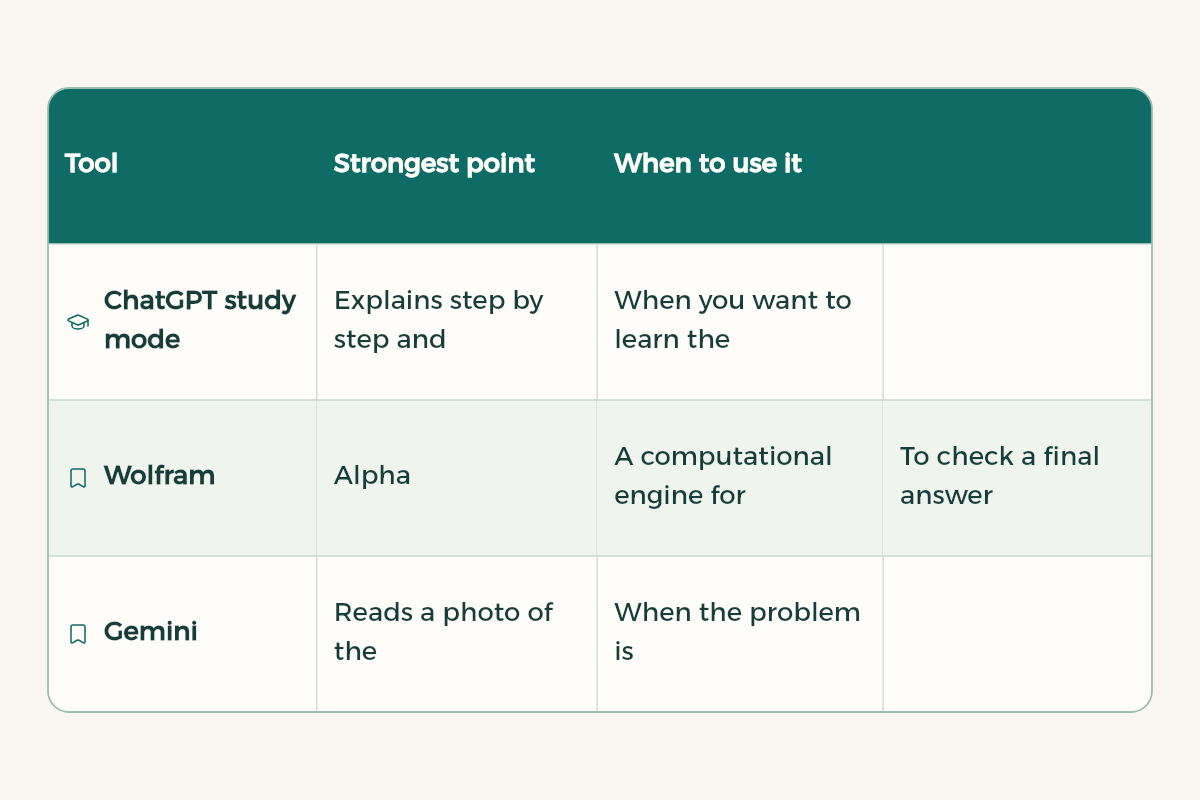
| Tool | Strongest point | When to use it |
|---|---|---|
| ChatGPT study mode | Explains step by step and asks you questions instead of handing over the answer | When you want to learn the method and practise |
| Wolfram|Alpha | A computational engine for algebra, calculus, differential equations and geometry | To check a final answer precisely |
| Gemini | Reads a photo of the problem and explains it in conversation | When the problem is handwritten or in a textbook |
| Perplexity Learn Mode | Detailed explanations with questions and hints; currently shown to verified students | To revise a concept with sources |
ChatGPT study mode: the closest thing to a tutor
According to OpenAI's help centre, study mode is available on all ChatGPT plans on web, iOS and Android, and with every model. Instead of only giving the final answer, it asks what you already know, where you got stuck and what step you would try next, and explains in layers that start simple and go deeper. You can upload a photo of a math or science problem, a worksheet or your lecture slides.
To turn it on in the browser, type @study in the message box or select + and search for Study, or go to chatgpt.com/studymode. On mobile, tap + and choose Study. OpenAI itself notes that graded work is subject to the AI policies of your school or instructor.
Wolfram|Alpha: for checking, not for learning
Wolfram|Alpha is a computational engine covering arithmetic, algebra, calculus, differential equations and geometry. You type the problem in math notation, such as integrate sin x dx from x=0 to pi, and get the result. Its strength is precise computation, so the best use is to solve the problem yourself, or with ChatGPT's explanation, then check the final answer in Wolfram|Alpha.
Gemini and Perplexity: photos and sources
Gemini works with images inside the chat, so you can photograph a textbook problem and ask for an explanation. Perplexity has Learn Mode, which explains step by step, asks you questions and gives hints; the help centre says it currently shows for verified students. More in our Perplexity research guide.
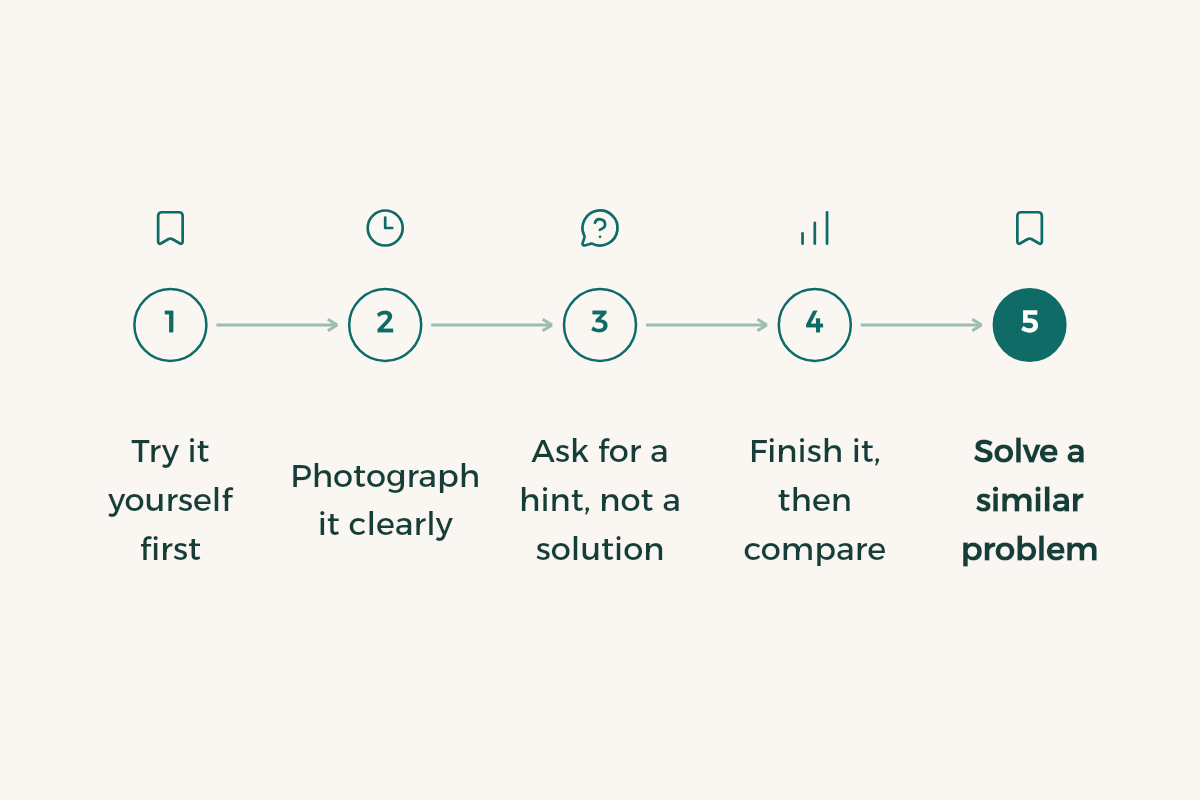
The right method in five steps
- Try it yourself first
Work on the problem for at least five minutes and write down exactly where you stopped.
- Photograph it clearly
One problem per photo, good light, no shadow over the numbers.
- Ask for a hint, not a solution
Tell the tool: give me a hint for the next step only.
- Finish it, then compare
Solve the rest, then ask for the full solution and compare it with yours line by line.
- Solve a similar problem
Ask for a new problem with the same idea and different numbers, and solve it with no help.
This is an [integration by parts] problem from my homework.
[Paste the problem or upload the photo]
I got stuck at: [write the last step you reached].
Do not give me the solution. Give me one hint for the next step only, then wait for my attempt.
If there is a mistake in my earlier steps, point to the line without correcting it.
I solved the problem below and got [your answer], but the correct answer is [correct answer].
[Paste your full working]
Find the first line with a mistake and tell me the type of mistake: understanding, arithmetic, or a rule I forgot.
Then give me one short problem to practise that exact point.
I have an exam on [calculus, chapter three: the chain rule].
Ask me five problems that get harder step by step, one at a time.
Wait for my answer, correct me, and do not move on until I get the current one right.
How to check a solution is right
Chat tools can write a convincing solution even when it contains an arithmetic mistake. Do not trust any solution until you have checked it one of these ways:
- Substitute the answer back into the original equation and see if it holds.
- Check the final answer in Wolfram|Alpha or on a calculator.
- Ask the tool to solve the problem a second way and compare the two results.
- Compare with the textbook answers or your instructor's solutions if they are available.
- Watch units and signs, which is where most mistakes hide.
Honest use: where is the line?
The line between learning and cheating is clear. If you use the tool to understand the method and then solve problems yourself, you are learning. If you copy a solution and submit it as your own work in a graded assignment that forbids it, that is an academic offence. Read the course policy first, and if it is unclear, ask your instructor. For more, read how universities detect AI.
- Usually allowed: explaining a concept, a hint for a step, generating practice problems, reviewing your working.
- Usually not allowed: copying a full solution into graded homework, or using the tool during an exam.
- Honesty protects you: the final exam shows what you really understand, whatever your homework marks were.
A weekly plan for a math course
| When | Task |
|---|---|
| After the lecture | Summarise the new rule in your own words and ask study mode to quiz you on it |
| Homework day | Solve it yourself and use hints only when you get stuck |
| Two days later | Ask for three similar problems and solve them with no help |
| End of the week | Review your logged mistakes and ask for practice on them |
This plan applies spaced study and self-testing, two of the most useful study techniques. Details in how to study effectively, and more prompts in ChatGPT study prompts. Before exams, go back to final exams revision.